Samsung Ads
Ad Experience System: one design language for every Samsung screen
Each surface had grown its own ad rules, so the same campaign looked and behaved differently on every screen, and every new format started from scratch. I built the shared system and the principles behind it, so product, design and advertisers make the same calls.
Role
Staff Product Designer; created the system and principles
Partners
Product, ads strategy, engineering, creative services
Surfaces
TV Plus Ad, Native (Home / Tizen), Microsite
Cover
Principles, safe zones, accessibility, templates, compliance
4
principles product and design use to make calls
15
ad and AI experiences built on the system: 11 on TV Plus, 4 on Tizen Home and microsite
3 Teams
across the US and Poland now rolling it out: product design, engineering and PMs
3
surfaces on one design language
THE BIG PICTURE : WHO THE SYSTEM SERVES
One system, three audiences
The same rules protect the viewer, speed up advertisers, and give product teams one answer instead of three.
-
Product teams
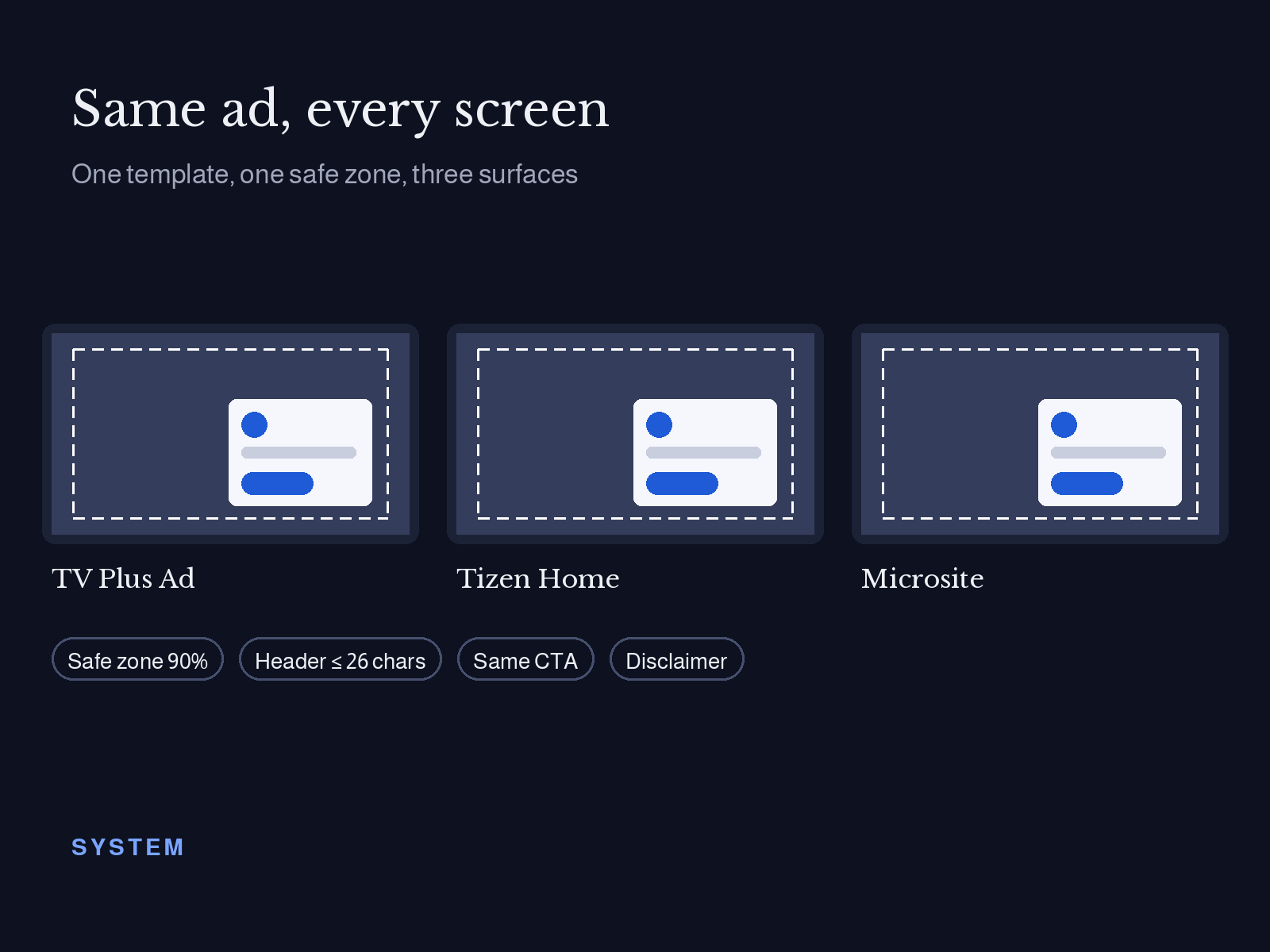
One ad language on every screen: shared principles, safe zones and templates across TV Plus, the home screen and microsites.
-
Viewers
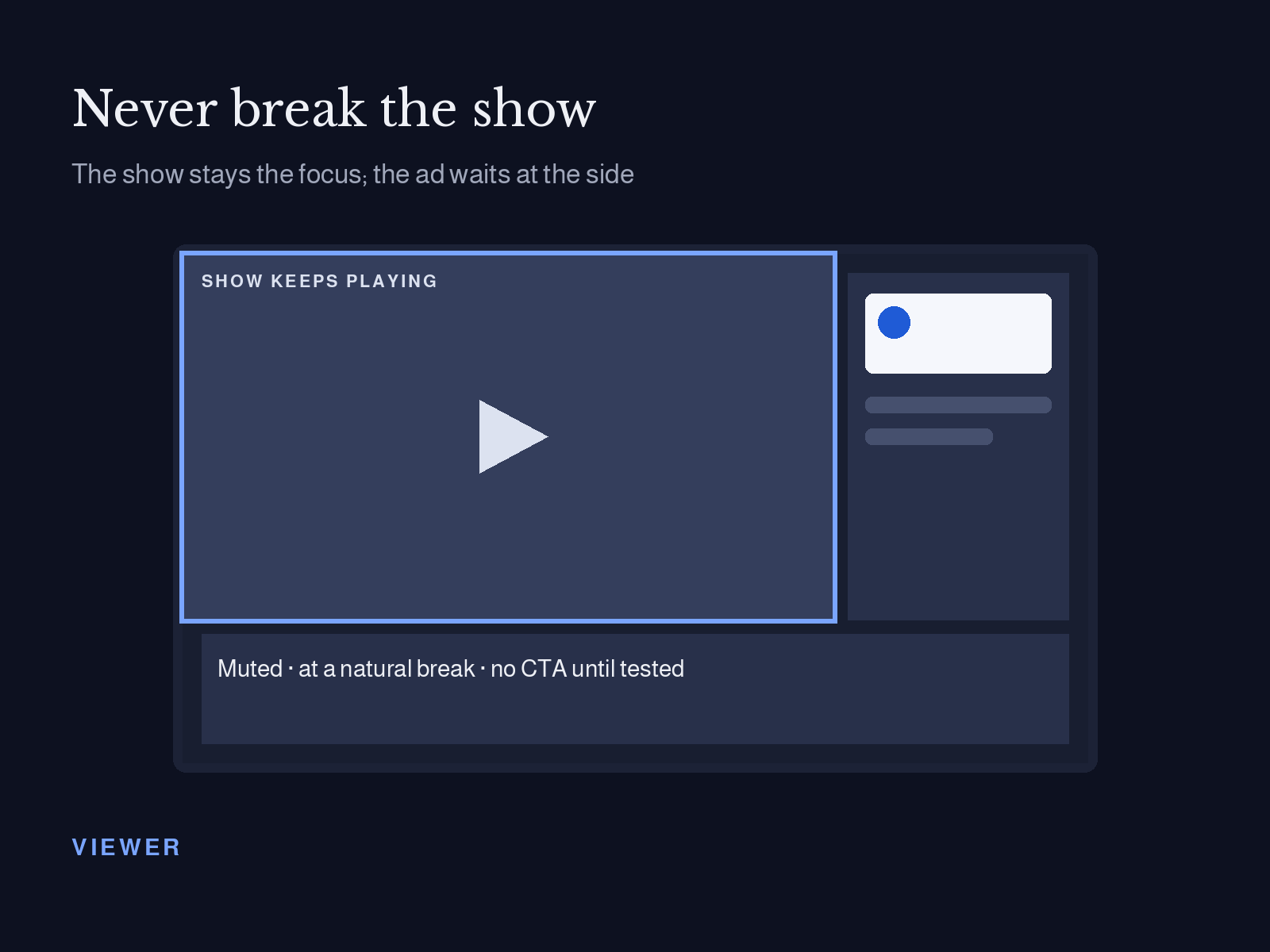
Ads that never break the show: lean-back formats built for a remote and a couch, readable from 10 feet.
-
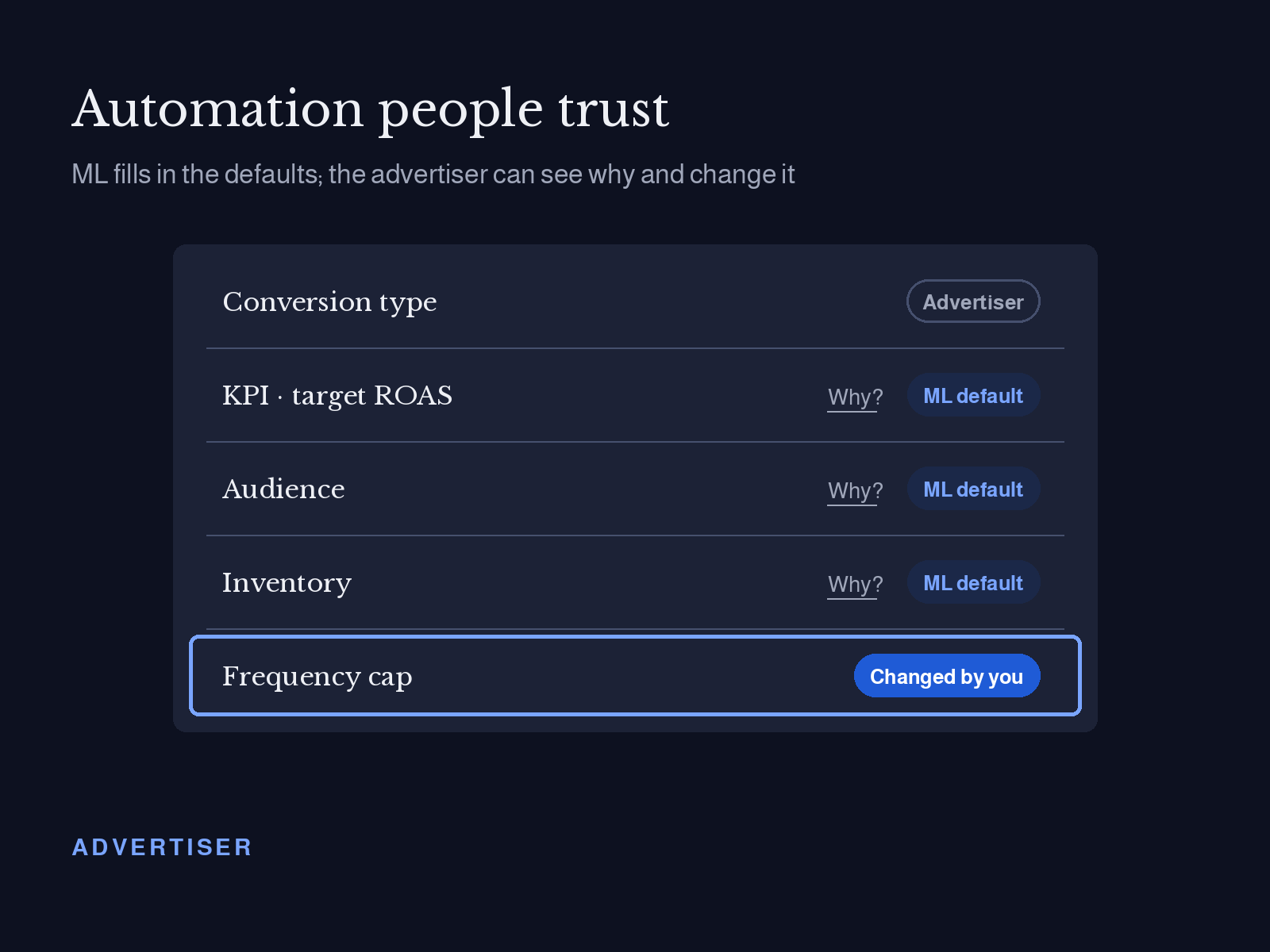
Advertisers
Templates with clear zones and character limits, so one creative works across formats without rework.
“My role: I set the principles with product, defined the safe zones and accessibility rules, built the advertiser templates, and co-wrote the shared GUI spec for interactive ads. I then gathered the rules for all 15 experiences into one reference and shared it with the team, so every surface stays consistent.”
Three parts:
What the system is made of
-
Part 1 : Four rules product can use to say yes or no.
Viewers can act on an ad without leaving the show.
-
Part 2 : Foundations
The rules every format inherits.
-
Part 3 : Templates and spec
What advertisers and engineers build from.
BACKGROUND
Why it mattered
-
Every format started from scratch. Each new ad unit meant new specs, new reviews and new engineering work.
Advertisers rebuilt creative per surface. The same campaign needed different assets for TV Plus, the home screen and a microsite.
Decisions were re-argued. Without shared rules, product and design debated the same questions on every project.
-
The same brand looked and behaved differently on each screen, with different focus states, close buttons and timing.
How might one set of rules make every ad feel native to the TV, and make every new format faster to ship?
PART 1 • PRINCIPLES
Rules product can use to say no
Written with product, so design and business decisions start from the same place. Each one shows up in work you can see on the other pages.
01
Never break the show
Ads appear at natural transitions, stay muted next to content, and can always be dismissed.
Where it shows up
Creative Canvas → L-bar capped at 3 per hour after the 11-viewer tolerance study
Creative Canvas → Pre-roll kept to one 15-second ad
03
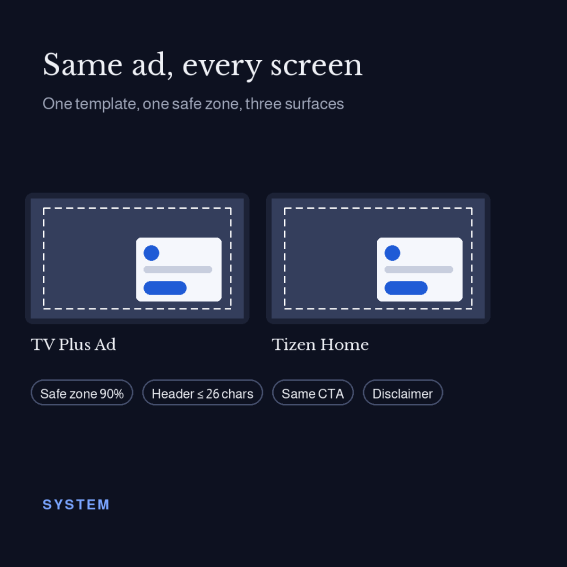
Same ad, every screen
One template set and token library across TV Plus, Tizen Home and microsites.
Where it shows up
Creative Canvas → Sponsored package: one brand from home screen to show
Creative Canvas → One standard of QR and email component set for 16:9 and vertical ads
02
Earn the interaction
No call to action until testing shows viewers understand it. One press, one outcome.
Where it shows up
Creative Canvas → Ad countdown on every interactive ad
Creative Canvas → 30-second minimum for any ad with a QR code
04
Make privacy visible
Viewers can see what's collected, control it, and trust it's protected.
Where it shows up
Vision AI → 4-part privacy explainer
Vision AI → Sponsored AI results always labeled
“One moment a principle settled a real decision, e.g. a format or placement product dropped because it broke "Never break the show."
PART 2 • FOUNDATIONS
What every format inherits
Safe zones and accessibility
Challenge : Overlays, L-bars and carousels had to work on every TV size and stay readable over moving video.
What I did : Defined title-safe and action-safe areas for each ad shape, plus rules for type size at 10 feet, D-pad focus, contrast on video and time to read before a unit closes.
Decision : Every format inherits the same zones and focus behavior, so a new unit only designs what's new.
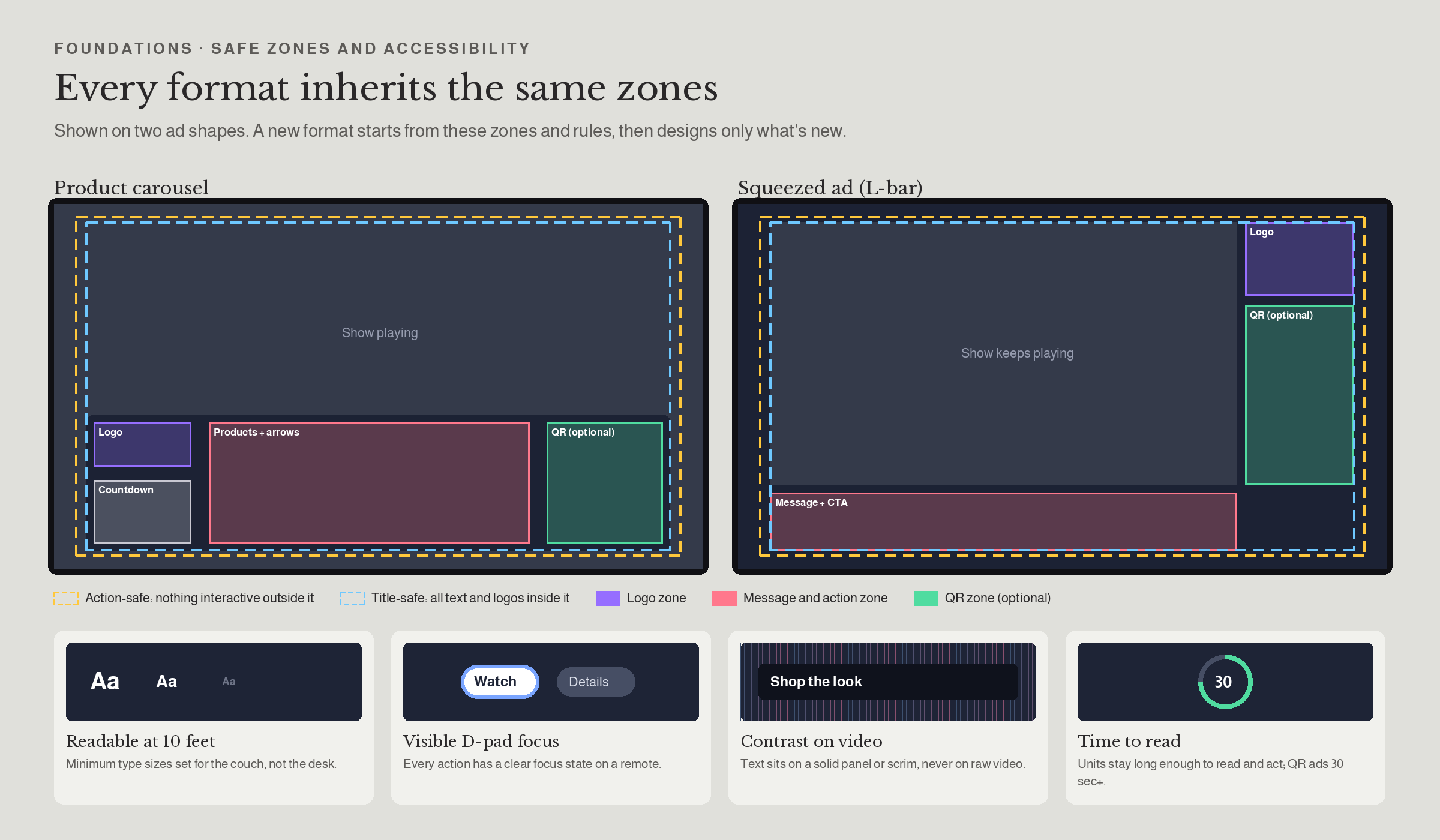
The goal : Design consistency across every platform: a format designed once follows the same zones and accessibility rules on TV Plus, Tizen Home and microsites. Newly established and now rolling out with the team.
Compliance built in
Required disclaimer placement and regional rules for the US, EU and Korea, set once in the system, not per campaign.
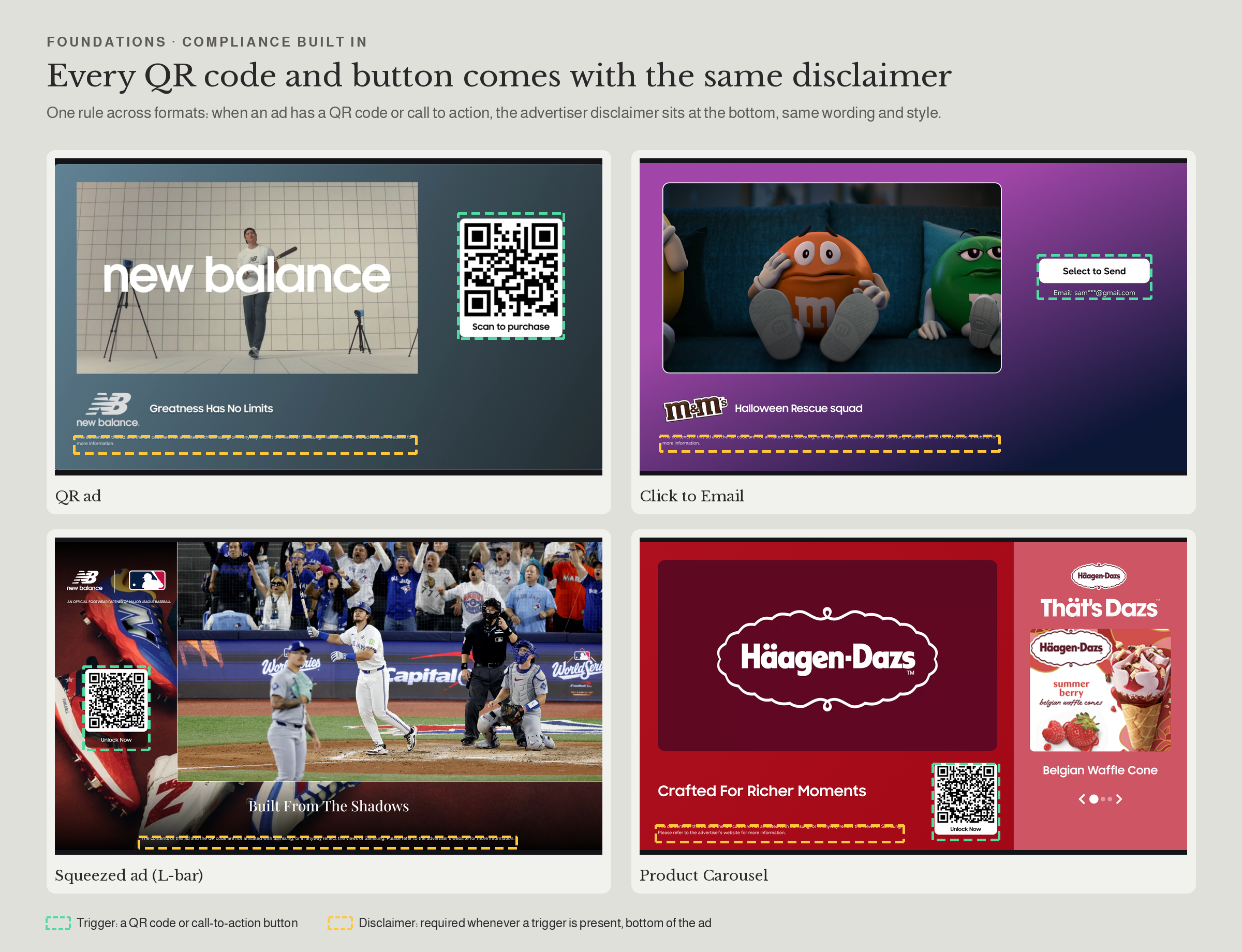
Every format QR ads, Click to Email, Squeezed ad and Product Carousel follow one rule
Motion and timing
Shared motion for how ads enter, squeeze and close, so every format feels part of the same TV.
One motion set Squeeze, enter and close shared across formats
PART 3 • TEMPLATES AND SPEC
What advertisers and engineers build from
Advertiser templates
Challenge : Advertisers sent assets that didn't fit, so campaigns needed back-and-forth before launch.
What I did : Built templates for the product carousel, L-bar (right and left) and sponsorship units, with annotated zones, character limits and optional QR placement.
Decision : One template per format shape, reused across surfaces, with limits set by what tested well on a real TV.
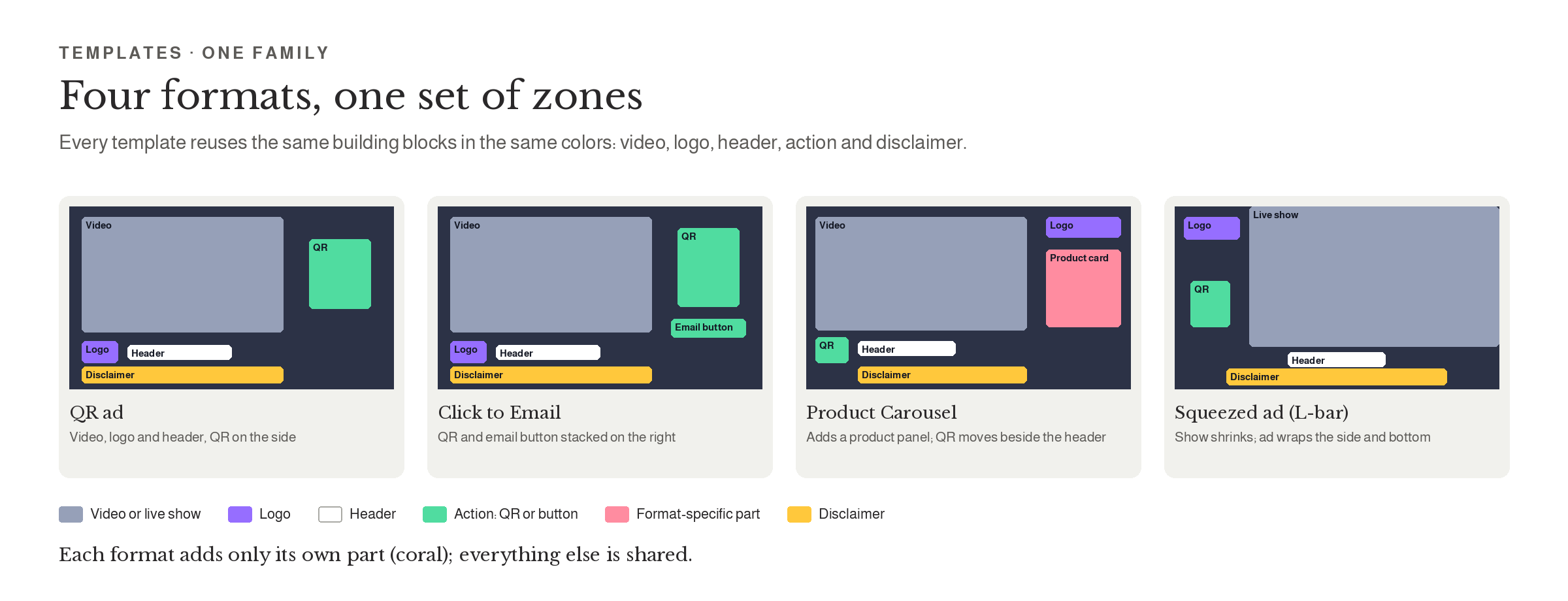
The goal: Advertisers build creative on their own from one template per format shape, and every ad on every surface follows the same zones and limits.
Interaction specs engineering builds from
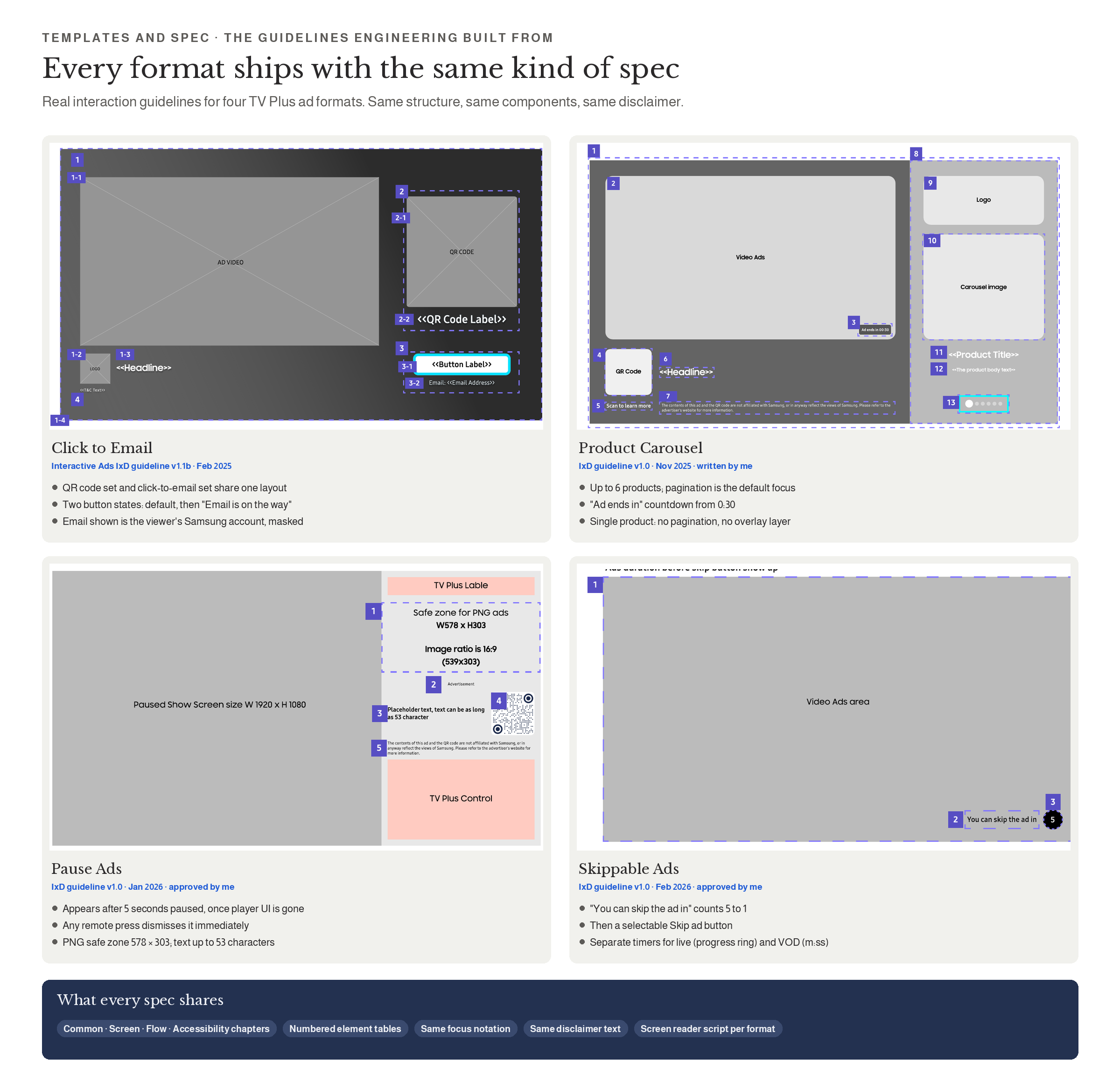
Every format ships with an IxD guideline in the same structure: common rules, numbered screen elements, flows and an accessibility script. I wrote the Product Carousel guideline, approved the Pause Ads and Skippable Ads guidelines, and contributed to the shared interactive ads spec for QR and Click to Email.
Same structure Same element tables, focus notation and disclaimer text in every format's spec
WHERE IT’S USED
15 experiences built on the system
TVPLUS • 11 AD FORMATS
Click to Email
Product Carousel
Tune-in and add to favorite
BUILT FROM
Interactive ads spec, vertical layout
Interactive ads spec, with QR and email fallbacks
Safe zones, QR component, dismiss rules
Sponsorship units and theming rules across surfaces
STATUS
Interactive ads spec: email button states, QR layout, logo rules
Vertical Click to Email
Paused Ads
Carousel template, QR and countdown
Amazon Add to Cart
Squeezed ad (L-bar)
Pre-roll
L-bar templates (right and left), safe zones, squeeze motion
Skippable
Countdown and skip button rules
Vision AI
Banner and deep-link button rules
Sponsored package
Single 15-second ad rule, countdown
TIZEN HOME AND MICROSTIE • 2 AD EXPERIENCES
Sport HUB
Labeling rules for sponsored answers; privacy principle
AI levels, banner placement, tile labels
EXPERIENCE
WHAT I LEARNED
A system is only real when others decide with it
Principles explain why
Every rule starts from industry best practice, is adapted to how Samsung viewers actually watch, and builds in accessibility, so the viewer always comes first.
Back rules with research
Rules tied to a TV study, like the L-bar cap and the QR minimum, were the easiest to adopt.
What I'd do next
Keep building the design inventory and improving how we design. Good design never stops evolving.
Thank you so much!
Explore My Other Projects
-
![]()
Enhancing Engagement Through Smarter Ad Design
Led a transformation of Samsung Ads’ interactive TV ad experiences—from replicating industry norms to defining a differentiated user-centric platform.
-
![]()
Vision AI to Sport HUB: setting the rules for AI on the biggest screen in the home
Viewers pick up their phone to check a score, a product or a smart-home alert, and miss the show. I designed Vision AI for Tizen and wrote the rules for how AI appears while someone is watching. Sport HUB brings those rules to live sports: ask about the game, shop what's on screen or check on home without leaving the match.
-
![]()
Ad Experience System
Ad Experience System: one design language for TV Plus, Tizen Home and microsites
-
![]()
CPX Campaign – Powering Scalable Performance Growth.
Led the evolution of CPX into a scalable performance platform, expanding support for new ad formats and advertisers while maintaining operational efficiency and enabling real-time optimization.
-
![]()
Stay Safe, Stay Informed with Navify
Roche Information Solutions: Delivering Integrated Digital Solutions for the COVID-19 Era.
-
![]()
Brand Engagement with Fike
Created immersive marketing content and internal resources—from 3D visuals to white papers—that elevated brand engagement, strengthened team readiness, and reinforced strategic brand consistency.