Samsung Ads
Vision AI to Sport HUB: setting the rules for AI on the biggest screen in the home.
I designed how Samsung's Vision AI shows up on the TV, including how sponsored content can sit next to AI answers without breaking trust. Sport HUB applies those rules to live sports: viewers ask about the game, shop what's on screen and check on their home without leaving the match.
Role
Staff Product Designer; design lead from concept to guidelines
Partners
Product, ads strategy, engineering, Tizen platform, legal, privacy, and privacy
Research
Competitive audits of AI assistants, TV home screens, sports hubs and smart-home panels
System
AI interaction levels, privacy principles and Sport HUB layout rules
8
rounds of Vision AI home and sponsored-answer concepts
4
levels that decide how much of the screen AI may take
~100
screens audited across AI assistants (Copilot, Perplexity, Gemini, ChatGPT) and TV platforms
THE BIG PICTURE : HOW AI SHOWS UP WHILE YOU’RE WATCHING
AI takes only as much of the screen as the moment needs
One rule set for every AI response on the TV, from a quiet reminder to a full home-control drawer.
-
1 - Quiet notification
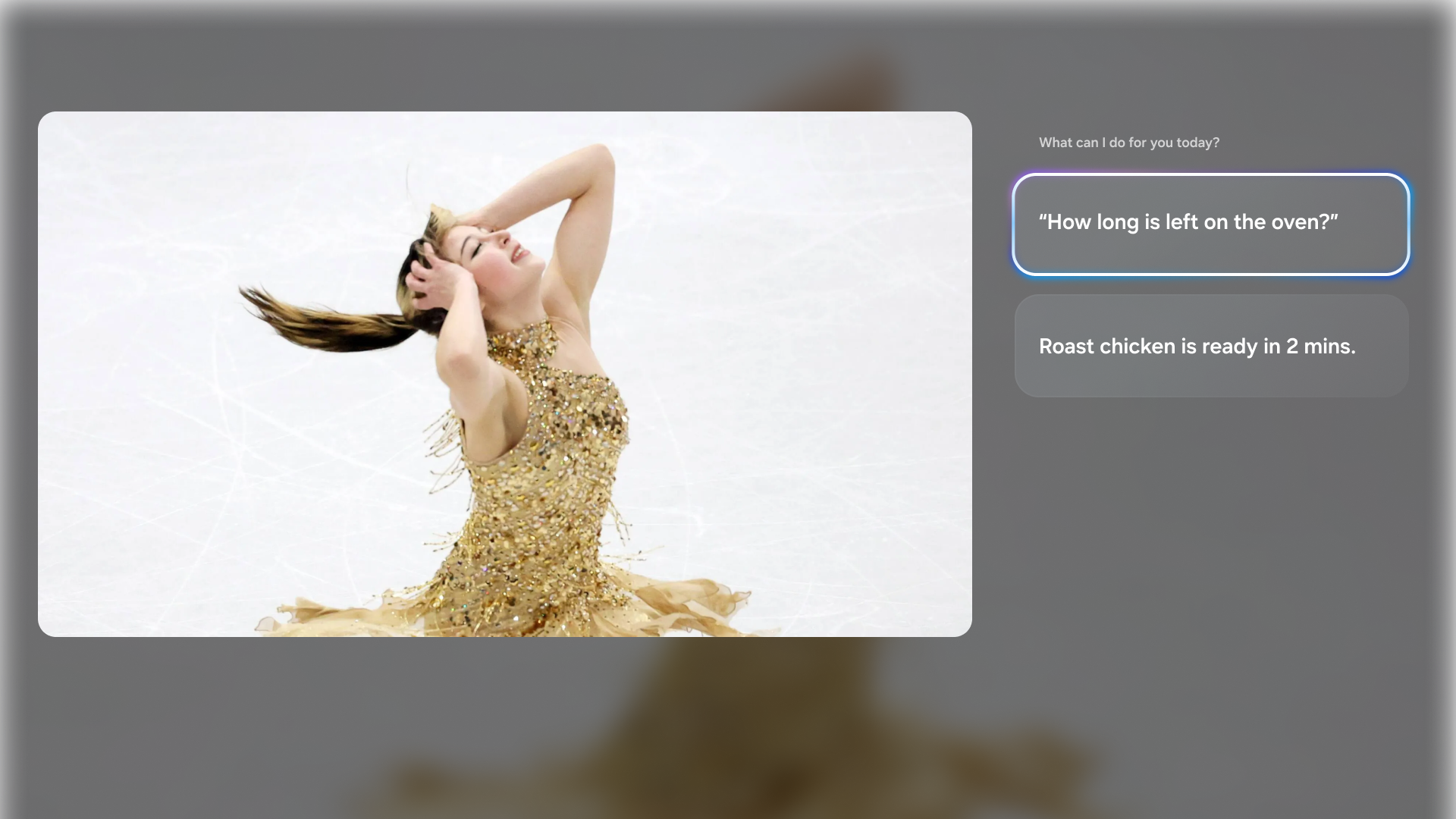
Timer done, laundry finished. Disappears on its own; never pauses the game or steals focus.
-
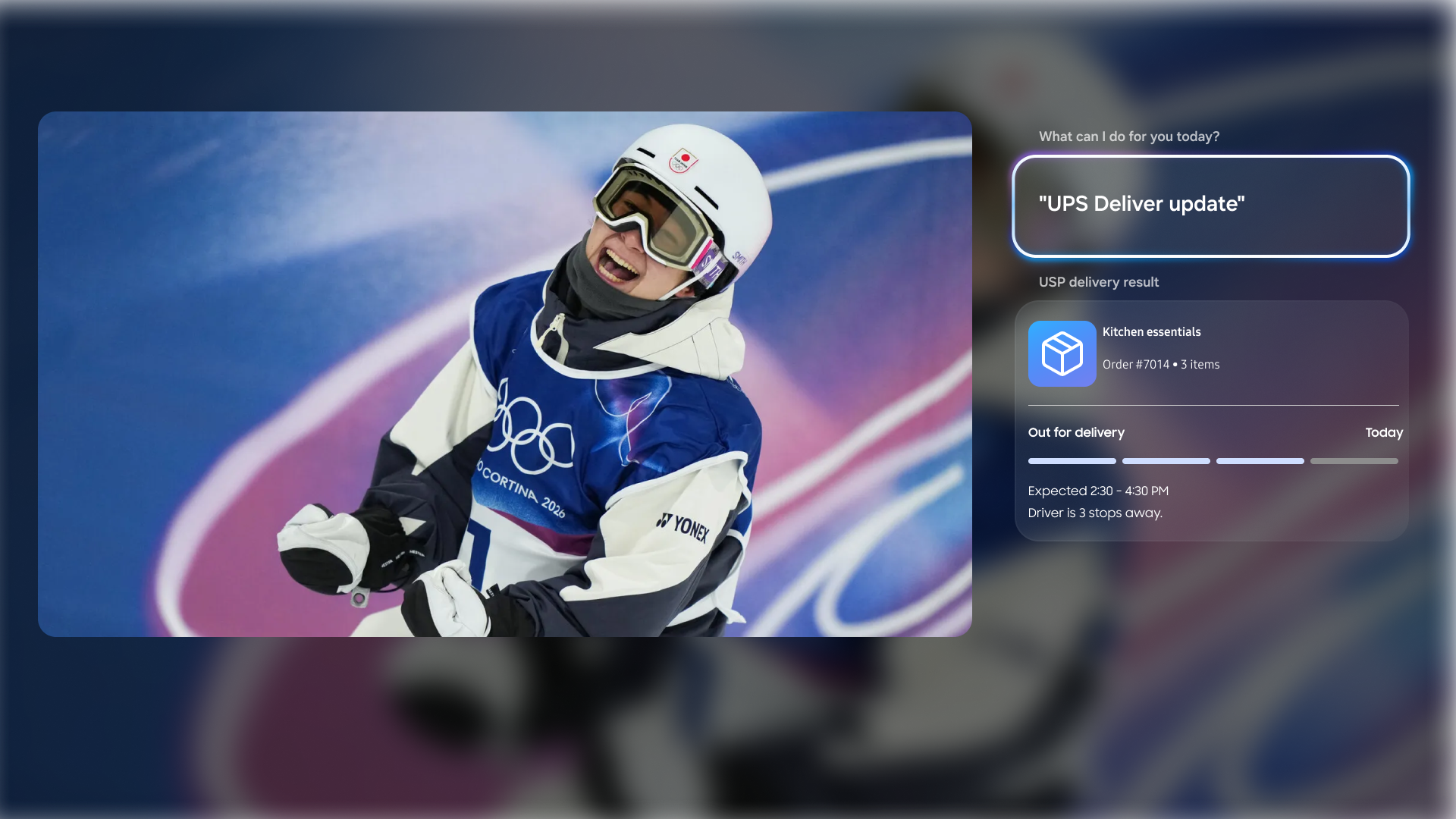
2 - Action overlay
Someone at the door. Small, reversible, and only when the viewer can decide now.
-
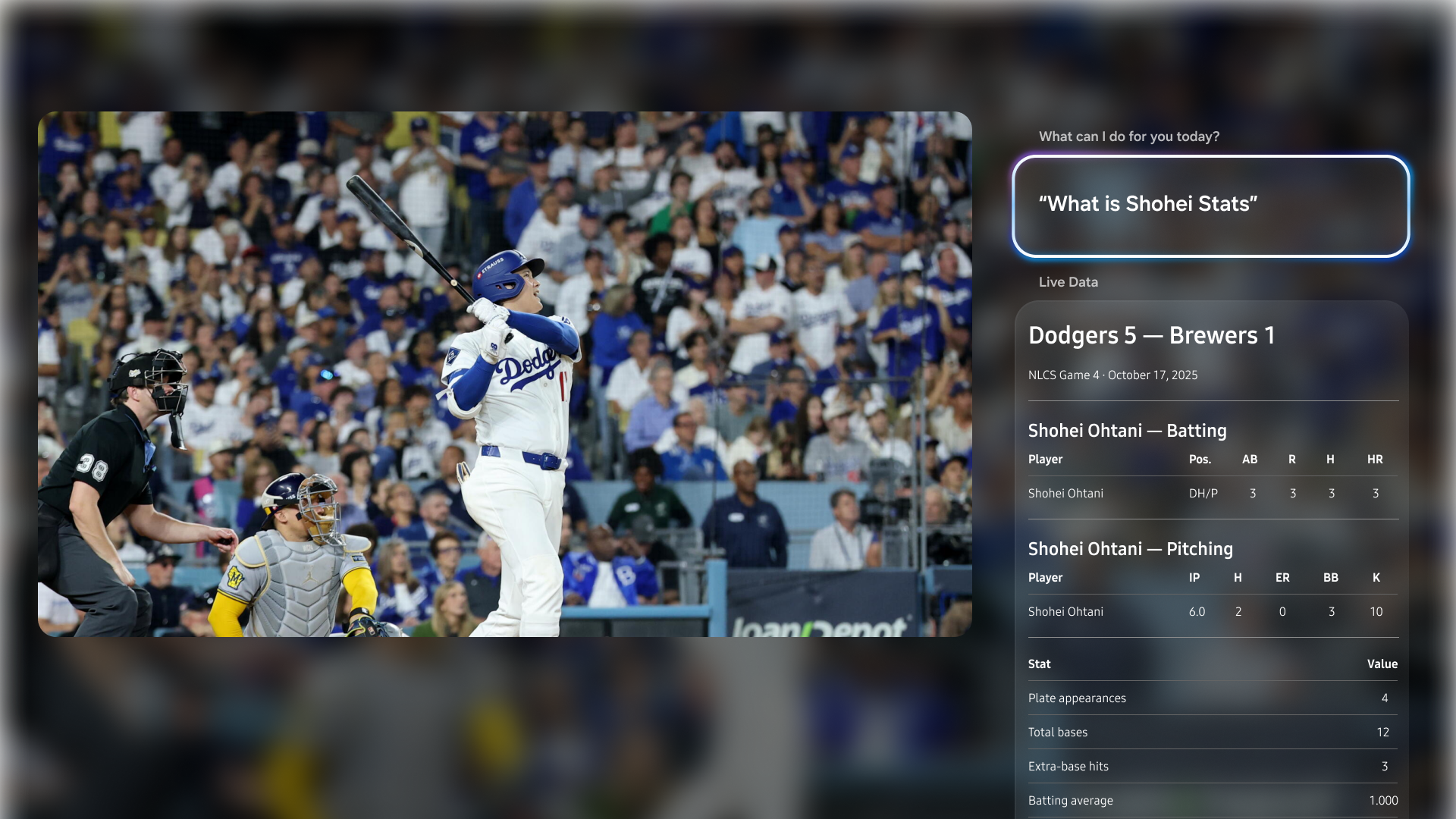
3 - Answer card
A score, a player's stats, a delivery, a product on screen. Opens beside the game after the viewer asks.
-
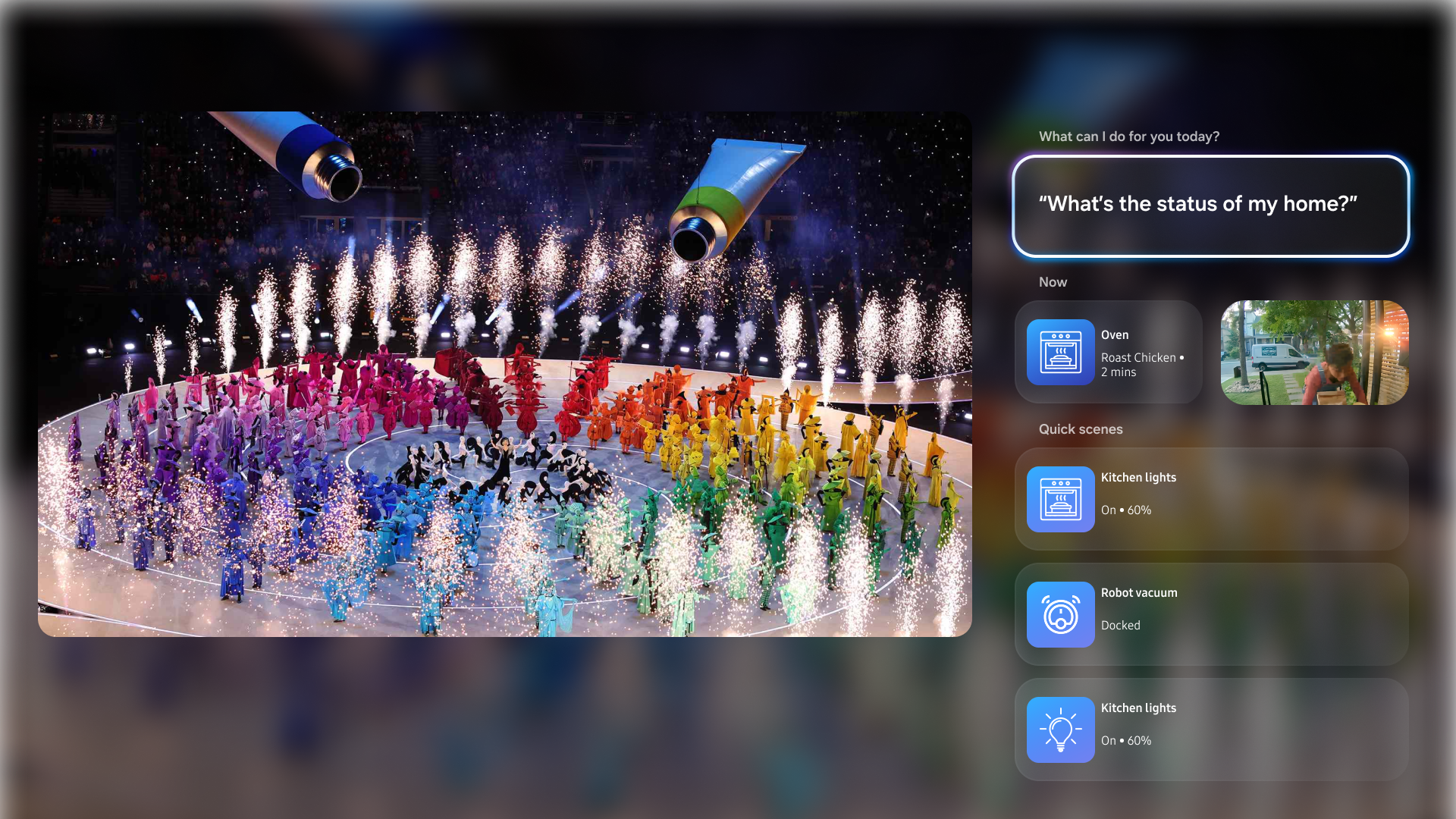
4 - SmartThings drawer
Opened by the viewer only. Urgent items first, then scenes for the moment, then favorites.
“My role: I defined the levels, wrote the trigger rules for each one (what can interrupt, what must wait to be asked), and designed the answer-card pattern that every query type reuses.”
Two Acts :
From an AI home screen to AI beside the game
-
Act 1 : Dec 2025 • Vision AI on the home screen
An AI companion that answers what viewers ask, with sponsored content that stays clearly labeled.
-
Act 2 : 2026 • Sport HUB with AI beside the game
A redesigned sports hub, plus AI that answers questions without taking the viewer out of the match.
BACKGROUND
Why it mattered
-
AI is the new front door of the TV. Vision AI brings assistants like Copilot and Perplexity onto the Samsung home screen, and the home screen is where Samsung earns from ads.
Ads next to AI answers are a trust risk. If a sponsored tile looks like an AI recommendation, viewers stop trusting both.
Competitors were moving. Google TV and LG already control the home from the TV. Samsung had the strongest base in SmartThings, but nothing aware of what the viewer was watching.
-
During a game, viewers reach for their phone to check a score, a player, a delivery or the oven, and miss the play.
How might AI answer what viewers need in the moment, and carry sponsors, without ever taking over the show?
ACT 1 • VISION AI ON THE HOME SCREEN
An AI companion viewers can trust, with sponsors that stay honest
Vision AI home and sponsored answers
Challenge : Design an AI home screen that answers what the viewer asks, and find where sponsors can appear without looking like the AI's own advice.
What I did : Audited about 100 screens from AI assistants and TV platforms, then designed 8 rounds of concepts with product and ads partners: a personal greeting with widgets, prompt suggestions, sponsored tiles inside results, and seasonal brand takeovers.
Decision : Sponsored items use the same tile as content so the page stays calm, but always carry an "Advertisement" or "Sponsored by" label. A takeover only themes results the viewer asked for, and suggestion chips keep the next step in the viewer's hands.
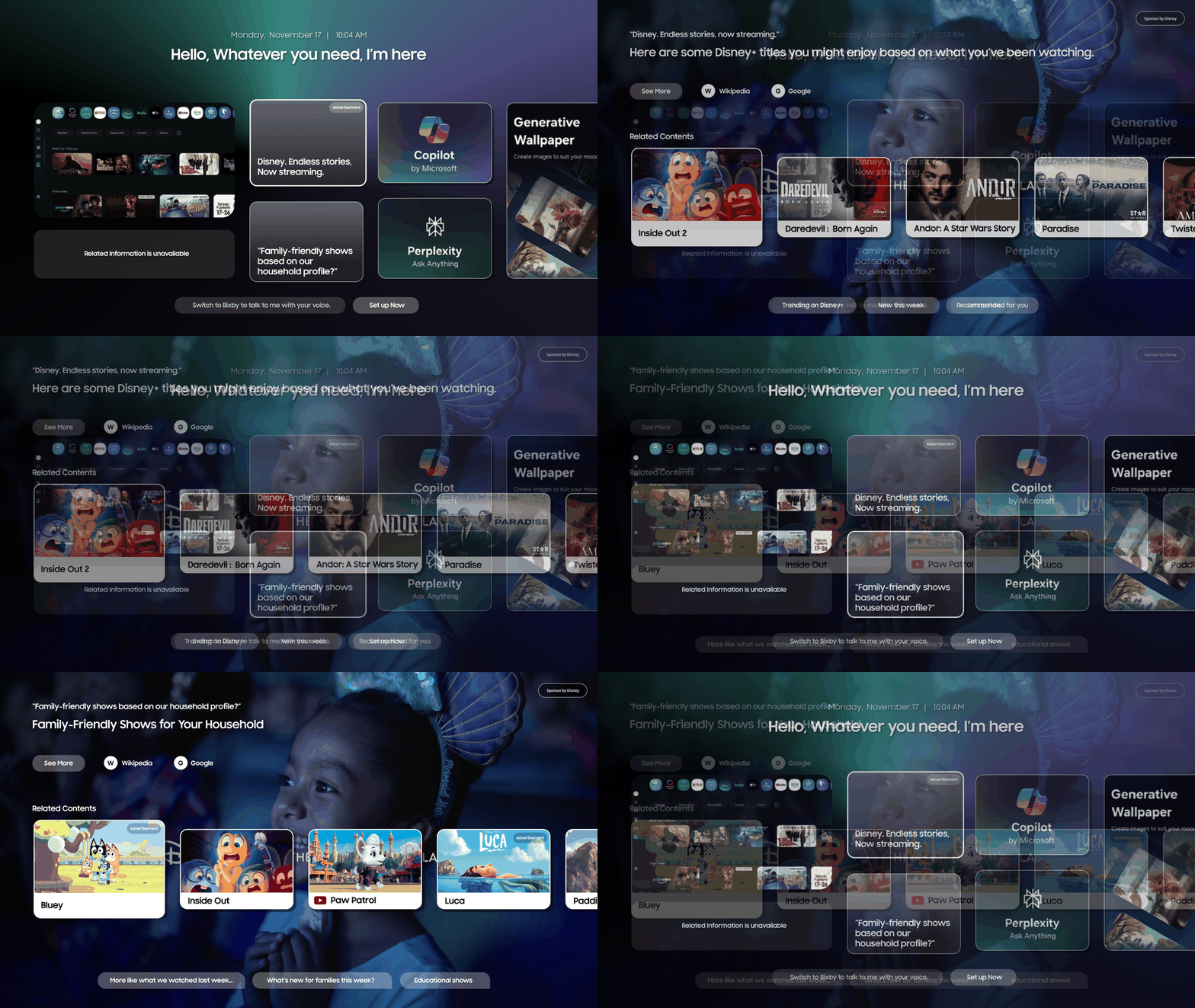
Carried forward: The labeling rules and the ask-then-answer pattern became the starting point for Sport HUB in Act 2.
See the process
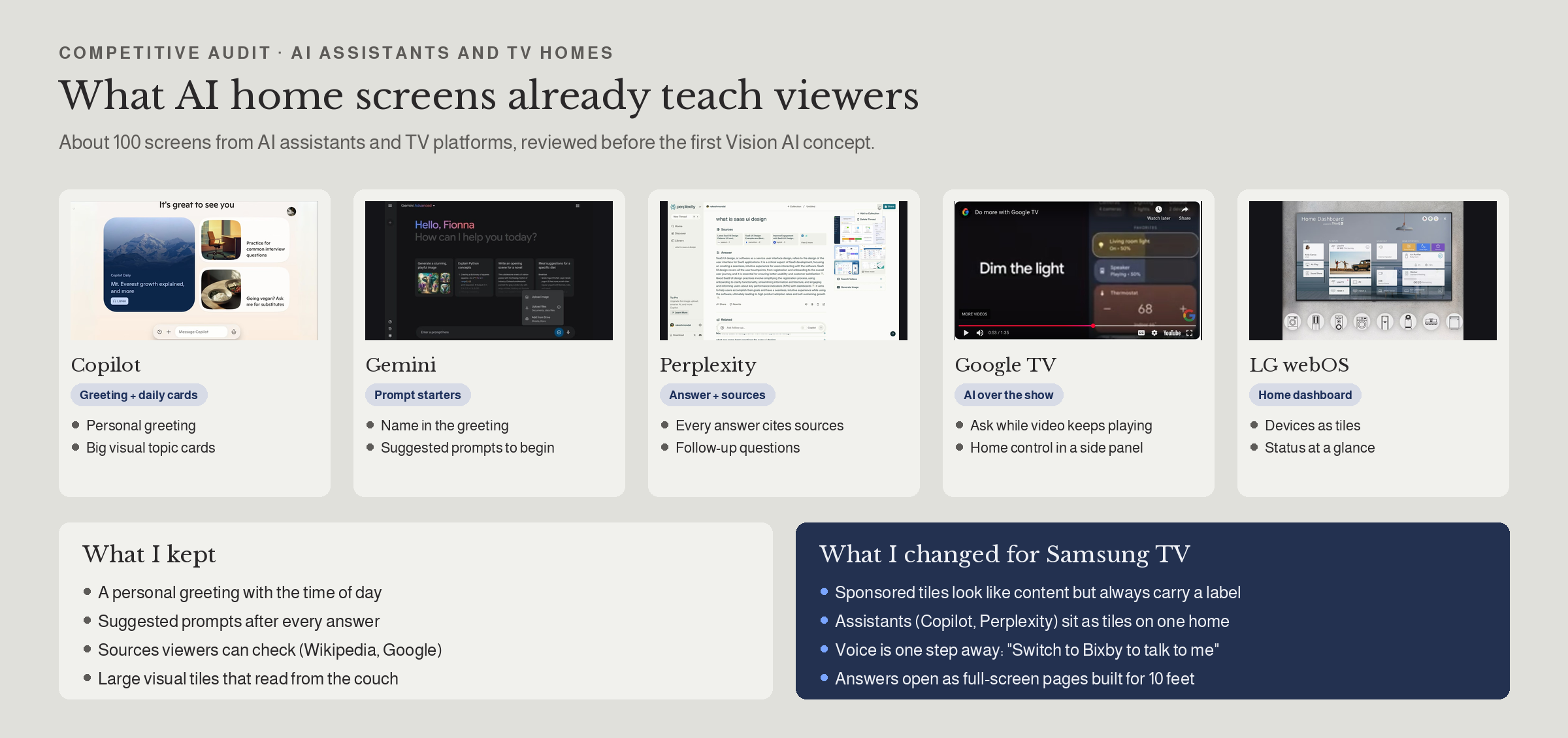
AI assistant audit
5 assistants and TV homes, what I kept and changed
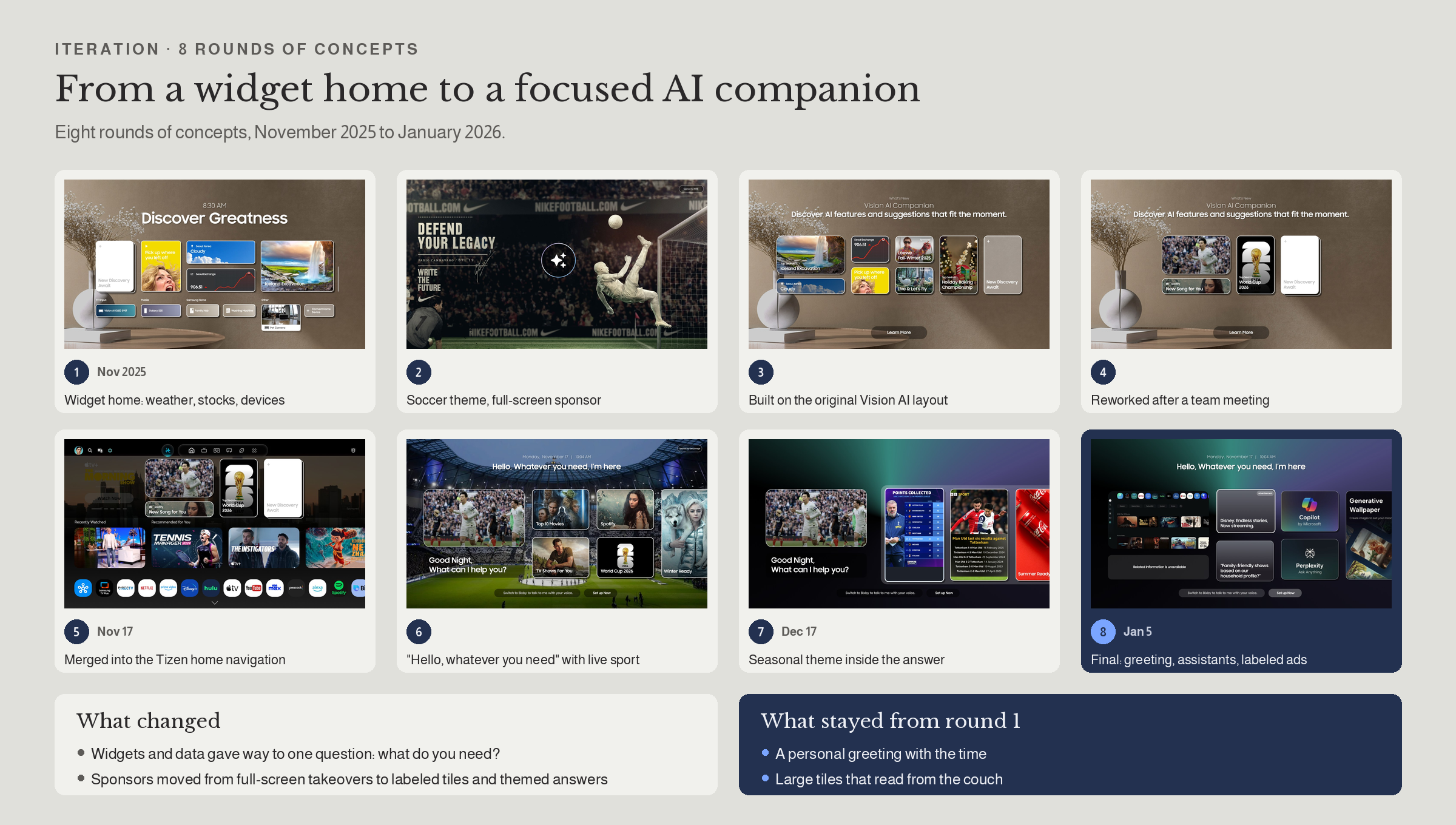
8 rounds of concepts
Widget home to focused AI companion
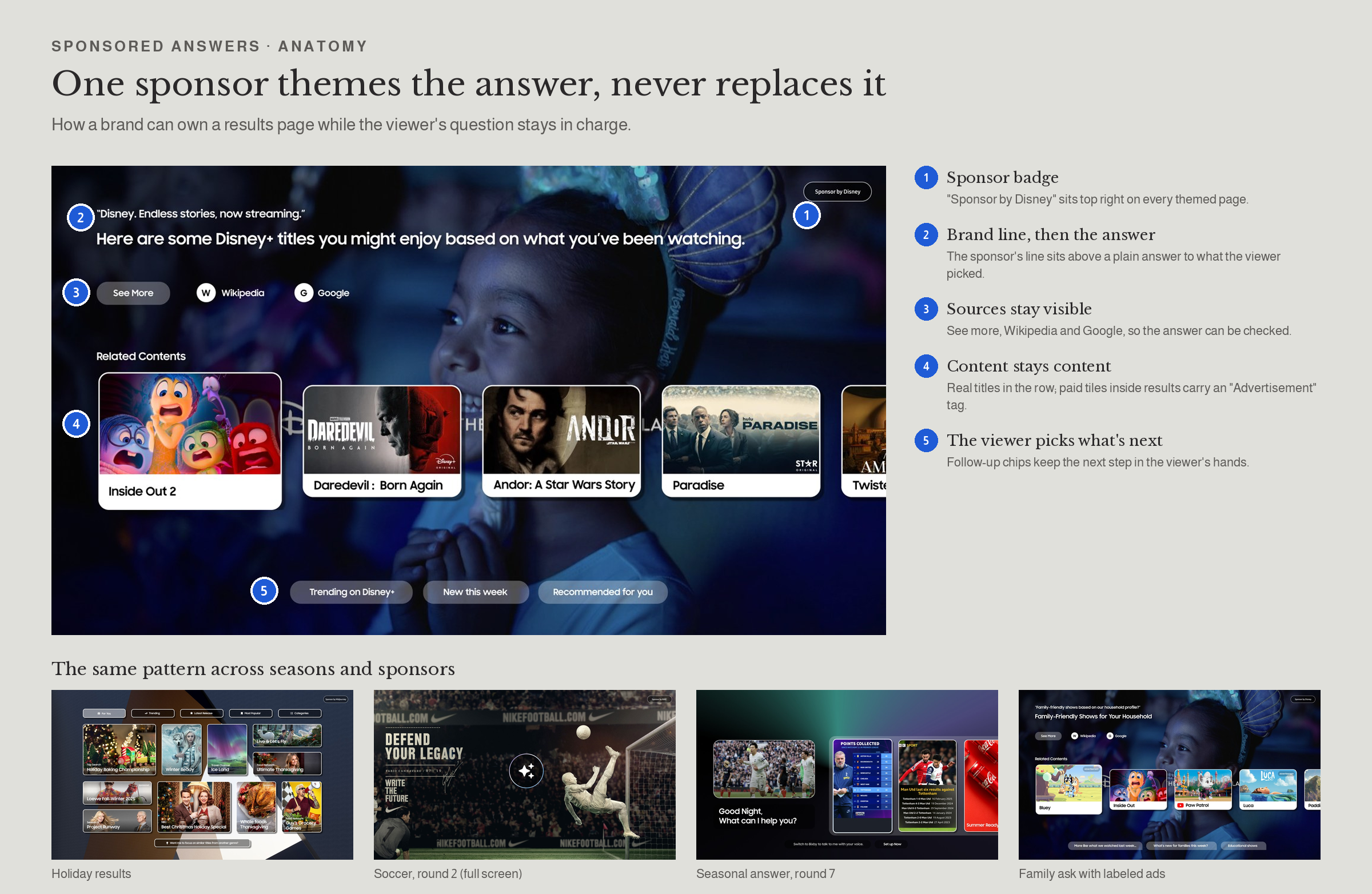
Sponsored answer anatomy
5 rules, same pattern across sponsors
ACT 2 • SPORT HUB WITH AI BESIDE THE GAME
Built on the same rules, for the moment viewers care most about
Live sports is where viewers most often reach for a second screen.
Sport HUB redesign
Challenge : Help viewers find what's live and what they care about first, while leaving room for sponsors.
What I did : Tore down 5 sports experiences (Prime Video, HBO, Peacock, YouTube TV, Roku), then designed onboarding ("What gets you cheering?", then teams) and a new hub layout. Explored 3 banner densities, from no banner to one every 2 rows.
Decision : Rows run Live moments, For you, On now, then Leagues. Tiles get status labels (Live, Close match, Replay) and time-left bars. One campaign banner after row 2, the point where viewers have already seen live and personal picks.
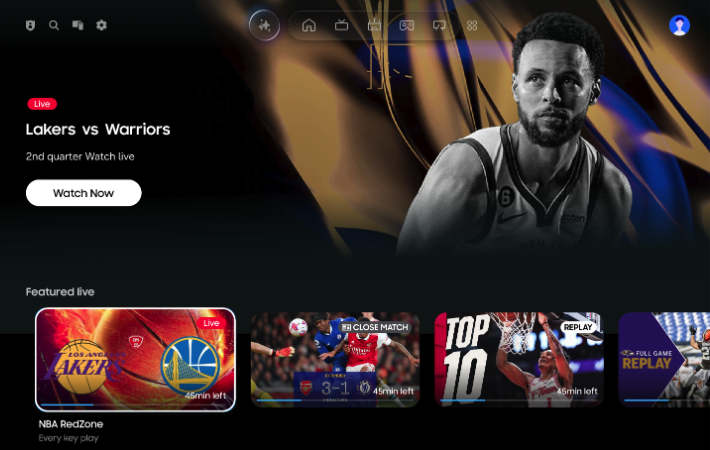
1 banner: after row 2 balanced live discovery with one memorable sponsor moment. A banner every 2 rows is kept for event-heavy seasons only.
See the process
Competitive teardown
5 sports hubs sketched side by side
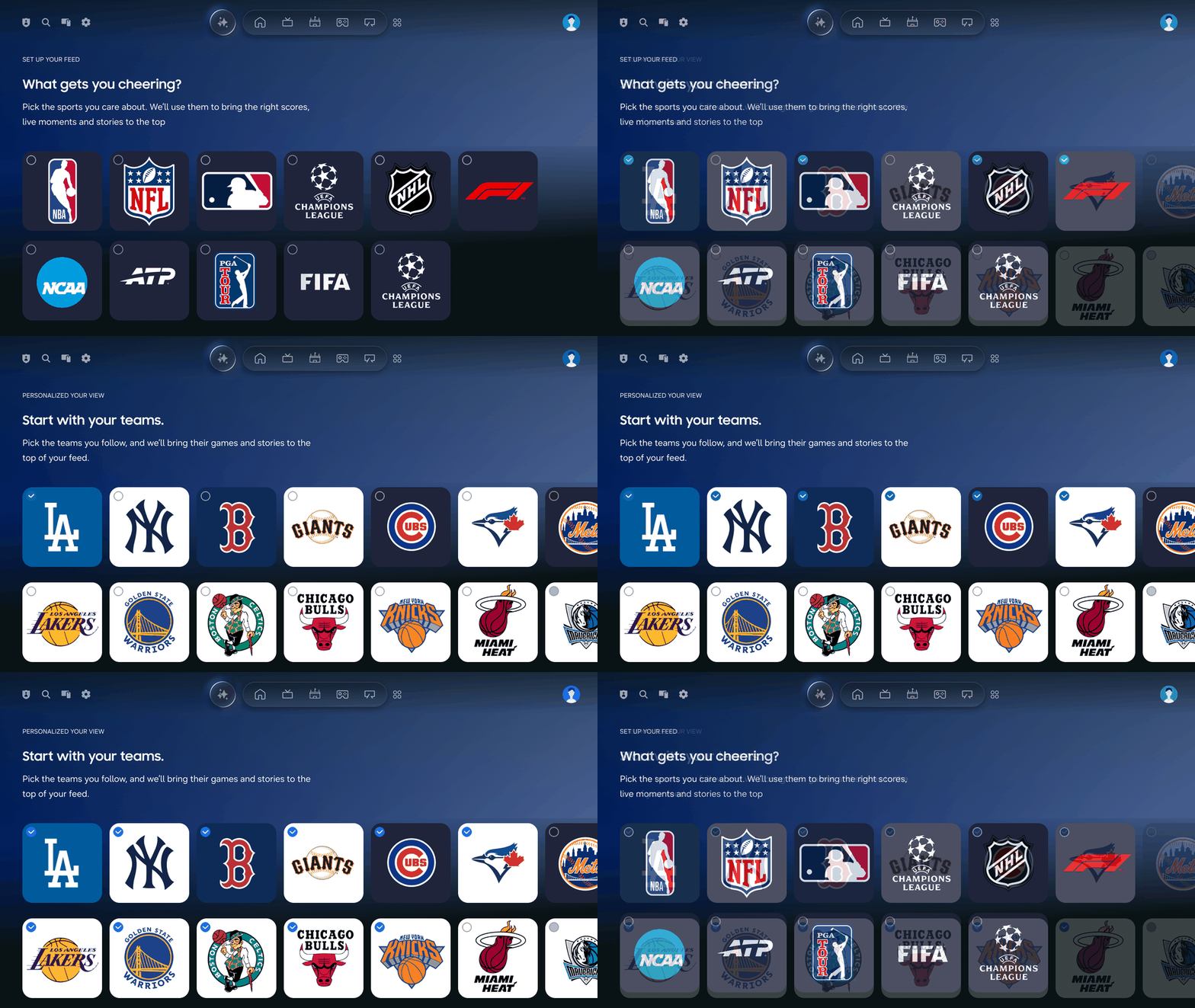
Onboarding
Pick sports, then teams
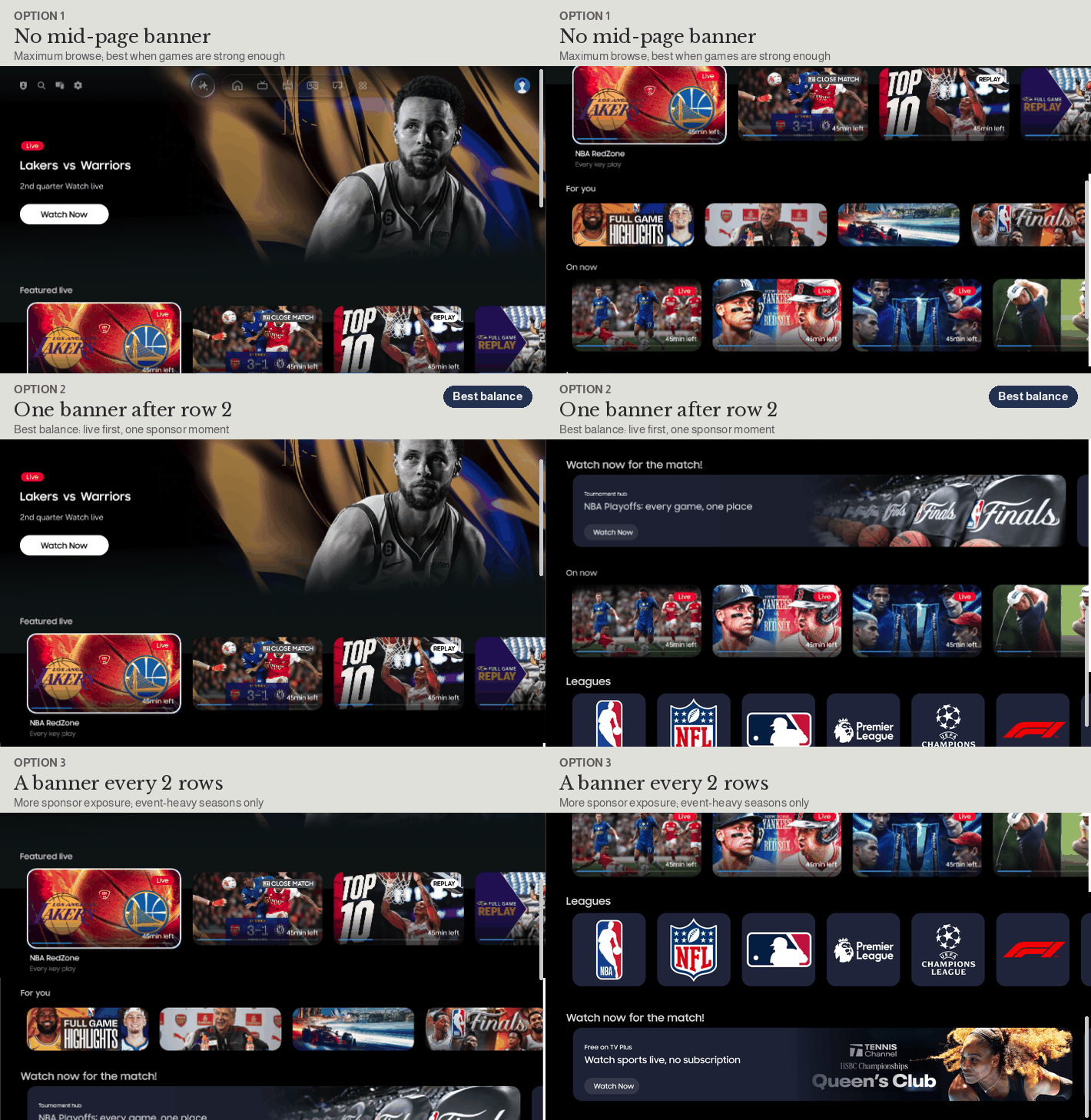
3 banner densities
None, one after row 2, one every 2 rows
AI beside the game
Challenge : Let viewers ask about the game, shop, and check their home during a live match, without the AI blocking the play.
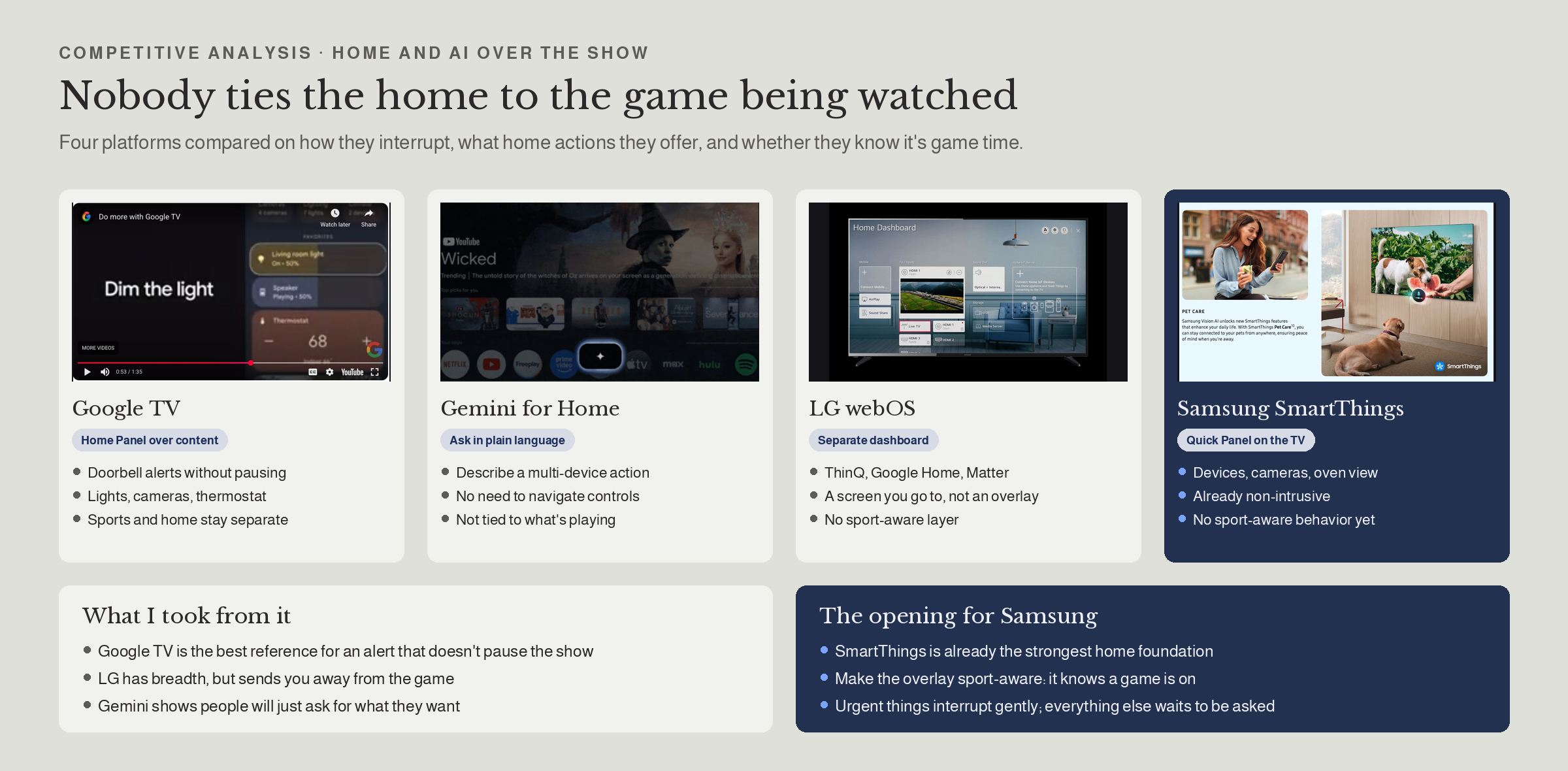
What I did : Compared Google TV, Gemini for Home, LG webOS and SmartThings. None tied home or shopping to the sport being watched. I wrote trigger rules for each event and designed one answer-card pattern for every query type.
Decision : Interruptions match their urgency: a doorbell gets a small camera view while the game continues; halftime brings only a short summary, and only if something needs action. Everything else waits until the viewer asks.
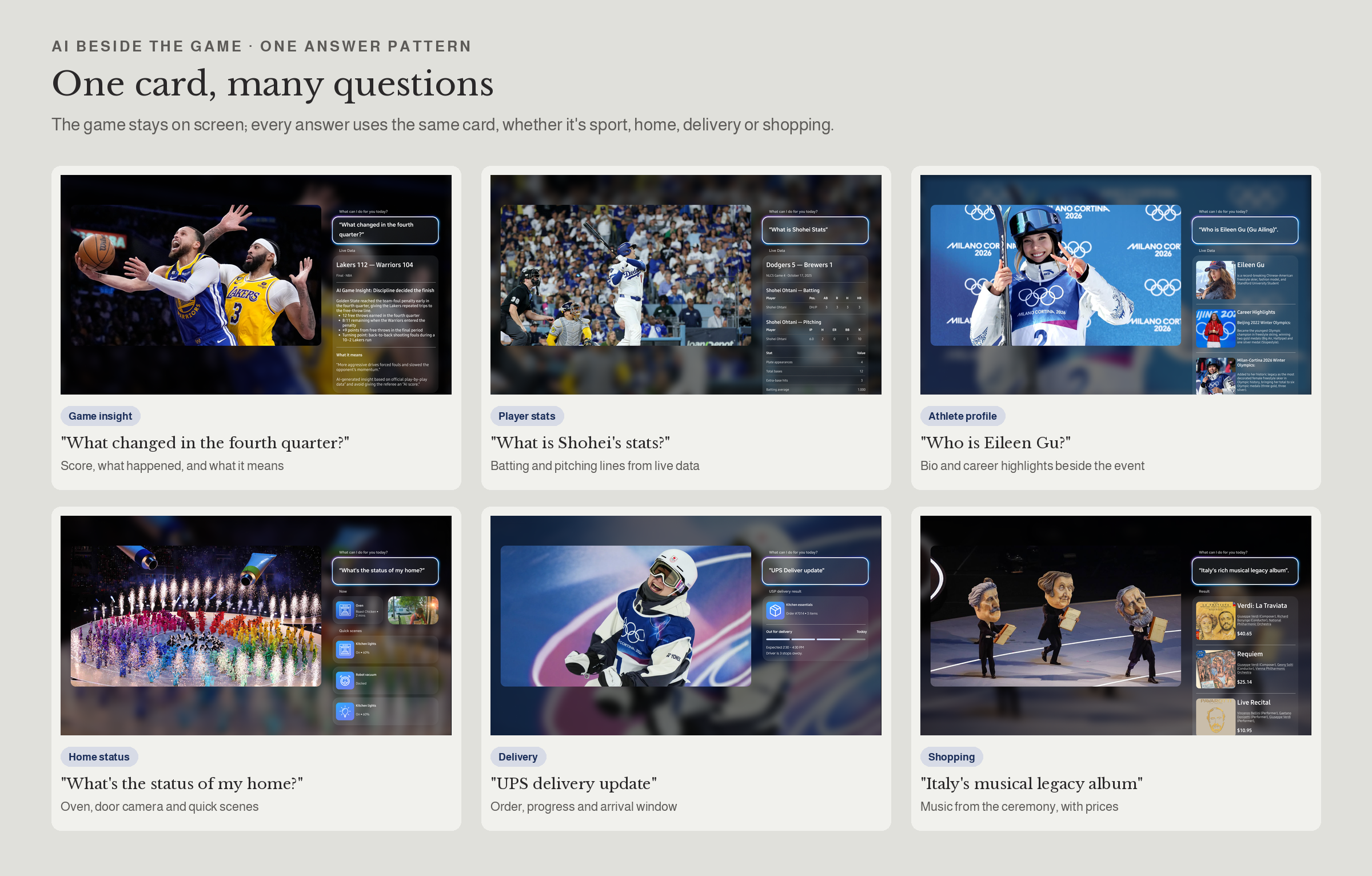
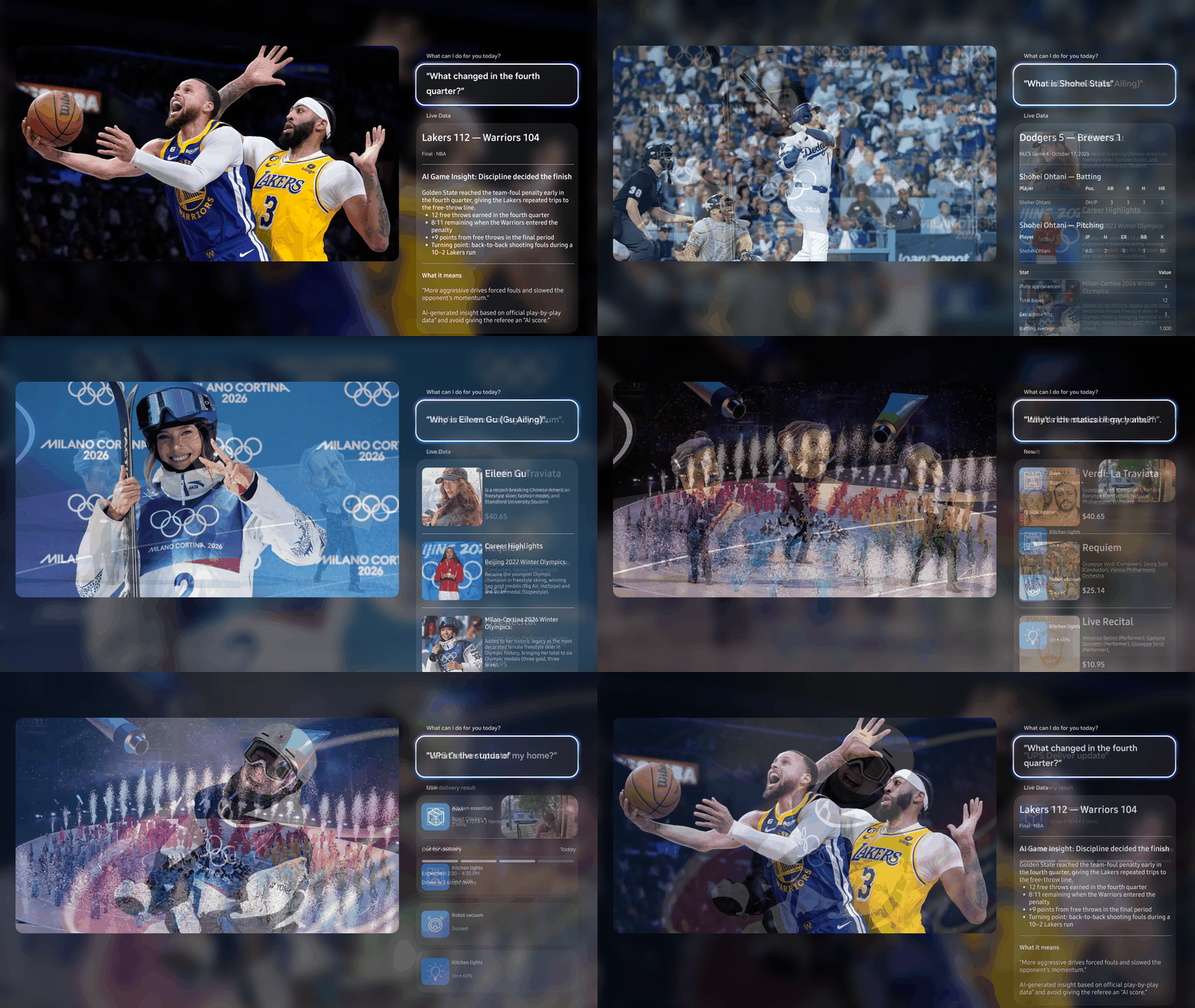
1 pattern: covers live data, home, delivery and shopping answers, so new AI features don't need new UI. AI game insights cite official play-by-play data and never judge the referee, so viewers can trust what the AI says
Shoppable answers
Ask about what's on screen, such as a jersey or the music in a ceremony, and get products with prices in the same answer card.
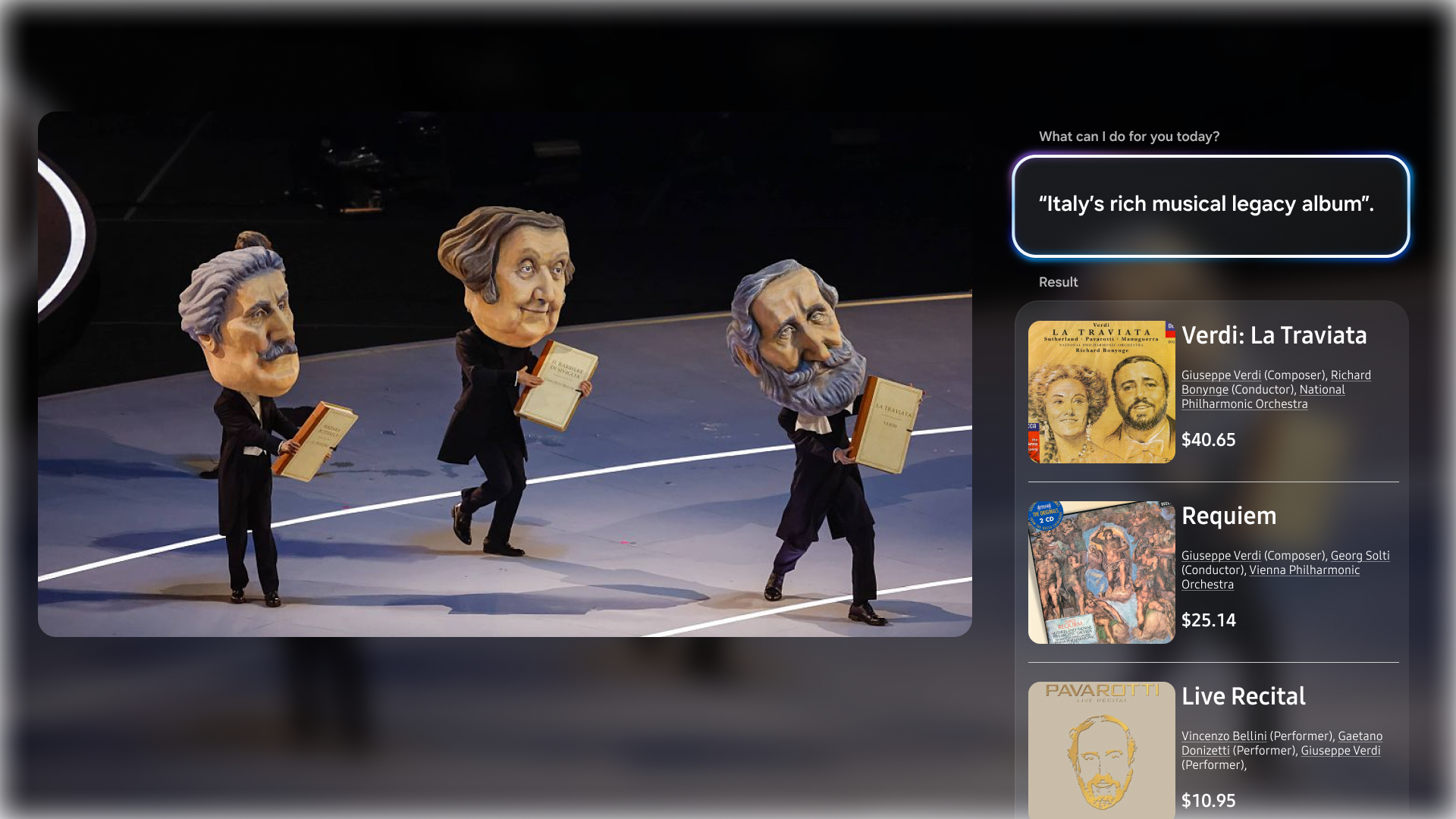
Same cardShopping reuses the answer-card pattern, so buying feels like part of the answer, not an ad.
Privacy viewers can see
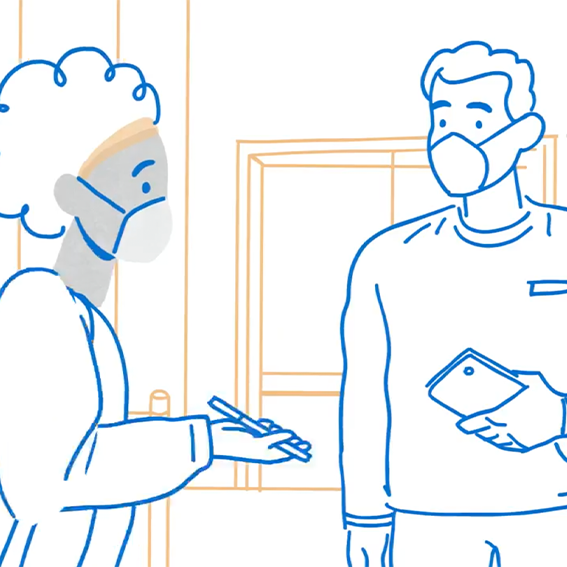
AI that knows what's on screen needs consent viewers understand. I sketched and illustrated a 4-part privacy explainer for the TV.
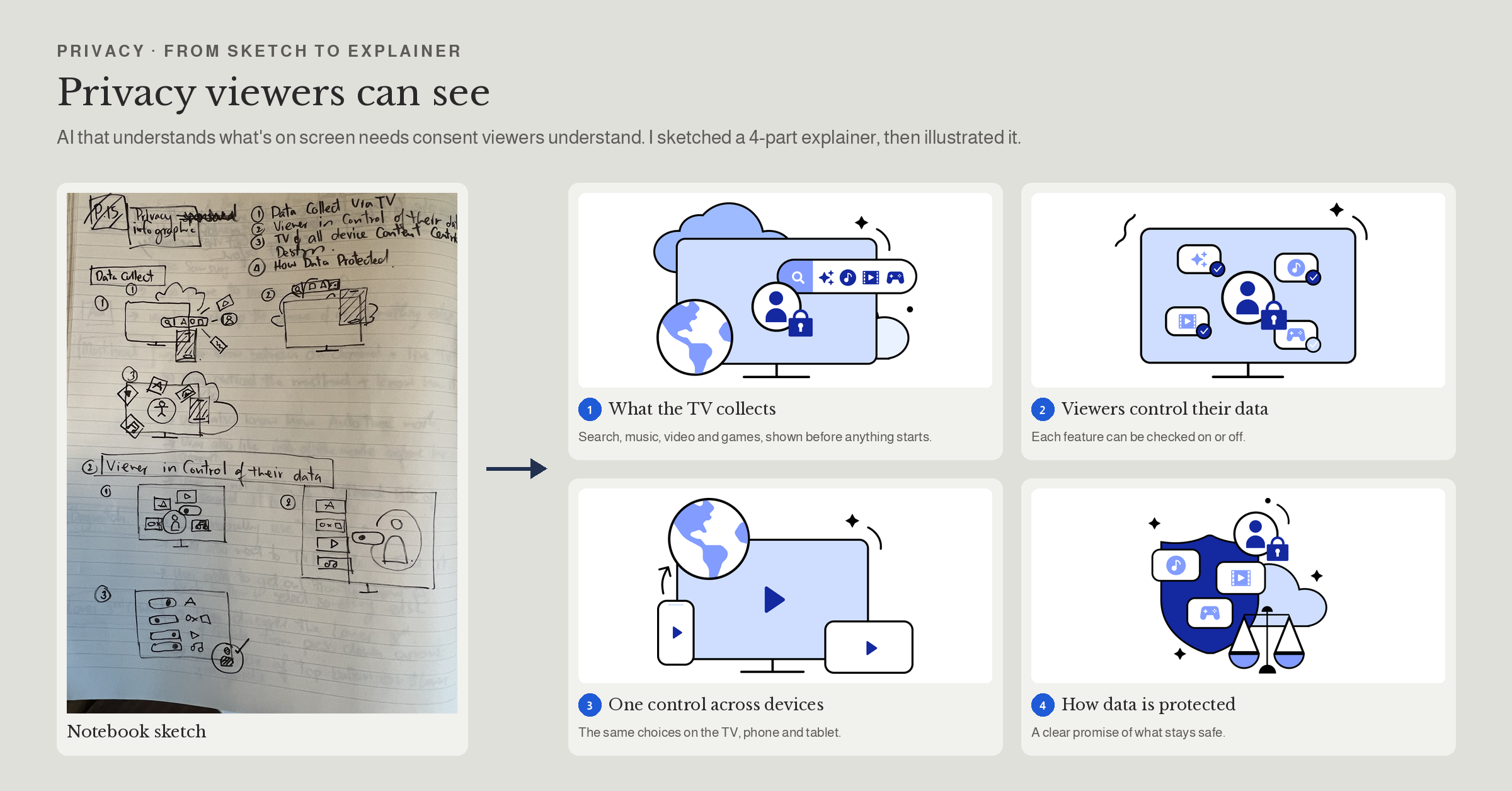
4 parts What the TV collects, how viewers control it, control across the TV and connected devices, and how data is protected.
GUIDELINES I WROTE
When AI may interrupt, and when it must wait
Doorbell rings
Oven or laundry needs attention
Viewer presses the mic or SmartThings key
A big game is about to start
Halftime or full time
WHAT THE VIEWER SEES
Small camera view at the screen edge; the game keeps playing
Quiet notice with time left or "done"
AI answer card or the SmartThings drawer
Optional "Game Night" scene suggestion before kickoff
Short summary, only if something needs action
WHAT THEY CAN DO
View, talk, dismiss
See status, mute
"Show the front door," "Is dinner ready?", "Dim the lights"
Run scene, dismiss
Check home, dismiss
MOMENT
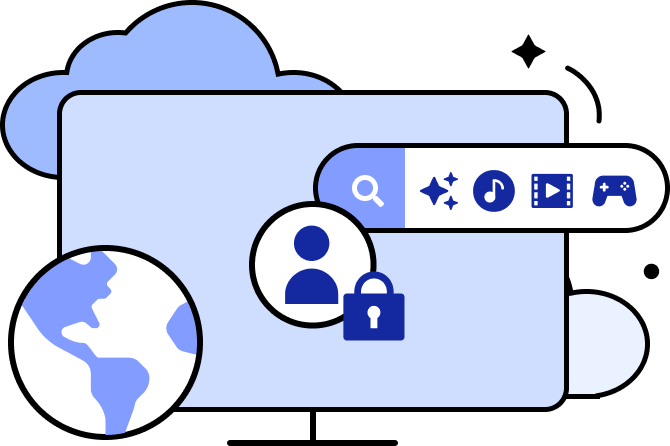
What the TV collects
Shown in plain language before any feature starts.
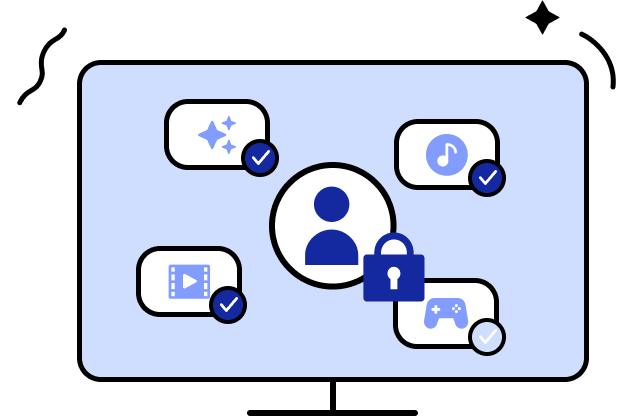
Viewers control their data
Each feature can be turned on or off.
One control across devices
The same choices on the TV, phone and connected devices.

How data is protected
Shows how the data is kept safe.
RESEARCH I LED
Grounded in what the market already does
AI assistant and TV home audit
Sports hub teardown
Smart-home overlay analysis
Banner density exploration
WHEN
Nov 2025
Sep 2026
Sep 2026
Sep 2026
SCOPE
~100 screens: Copilot, Perplexity, Gemini, ChatGPT, LG, YouTube TV, Samsung
DECISION IT DROVE
Sponsored tiles match content tiles but are always labeled; suggestion chips after every answer
5 services: Prime Video, HBO, Peacock, YouTube TV, Roku
Google TV, Gemini for Home, LG webOS, SmartThings
Live-first row order; team-based onboarding; status labels on tiles
Four AI levels; sport-aware trigger rules
3 layouts
One campaign banner after row 2; denser banners only in event-heavy seasons
STUDY
WHAT I LEARNED
AI earns its place by knowing when to stay quiet
Size follows urgency
The more the AI wants to show, the more it should wait to be asked.
Labels protect trust
Sponsored content can sit next to AI answers only if viewers can always tell which is which.
What I'd do next
Test the levels with viewers during a live game, and measure how often they ask versus dismiss.
Thank you so much!
Explore My Other Projects
-
![]()
Enhancing Engagement Through Smarter Ad Design
Led a transformation of Samsung Ads’ interactive TV ad experiences—from replicating industry norms to defining a differentiated user-centric platform.
-
![]()
CPX Campaign – Powering Scalable Performance Growth.
Led the evolution of CPX into a scalable performance platform, expanding support for new ad formats and advertisers while maintaining operational efficiency and enabling real-time optimization.
-
![]()
Stay Safe, Stay Informed with Navify
Roche Information Solutions: Delivering Integrated Digital Solutions for the COVID-19 Era.
-
![]()
Brand Engagement with Fike
Created immersive marketing content and internal resources—from 3D visuals to white papers—that elevated brand engagement, strengthened team readiness, and reinforced strategic brand consistency.