Samsung Ads
Creative Canvas: from catch-up to industry leader in TV advertising.
I led the design of Samsung TV Plus's interactive and non-interruptive ad formats, ran the viewer research behind them, and brought them together into one sponsored brand journey across the whole TV.
Role
Staff Product Designer; design and research
Partners
Product, ads strategy, engineering, sales, legal, privacy, Amazon
Research
4 TV studies I planned and ran, 64 viewers
System
GUI, motion and advertiser templates for every format
$15M
$15M+ · 2026 revenue; $15M from one advertiser alone
90%
of viewers recalled paused ads, and squeezed ads; 100% found them acceptable
May 2026
Amazon Add to Cart launched with Amazon
8/10
advertiser verticals adopted the new formats
THE BIG PICTURE : SPONSORED PACKAGE
One brand, one journey across the whole TV
A seasonal sponsor (for example, Halloween) follows the viewer from the home screen to the show and beyond. Each step is a format I designed.
-
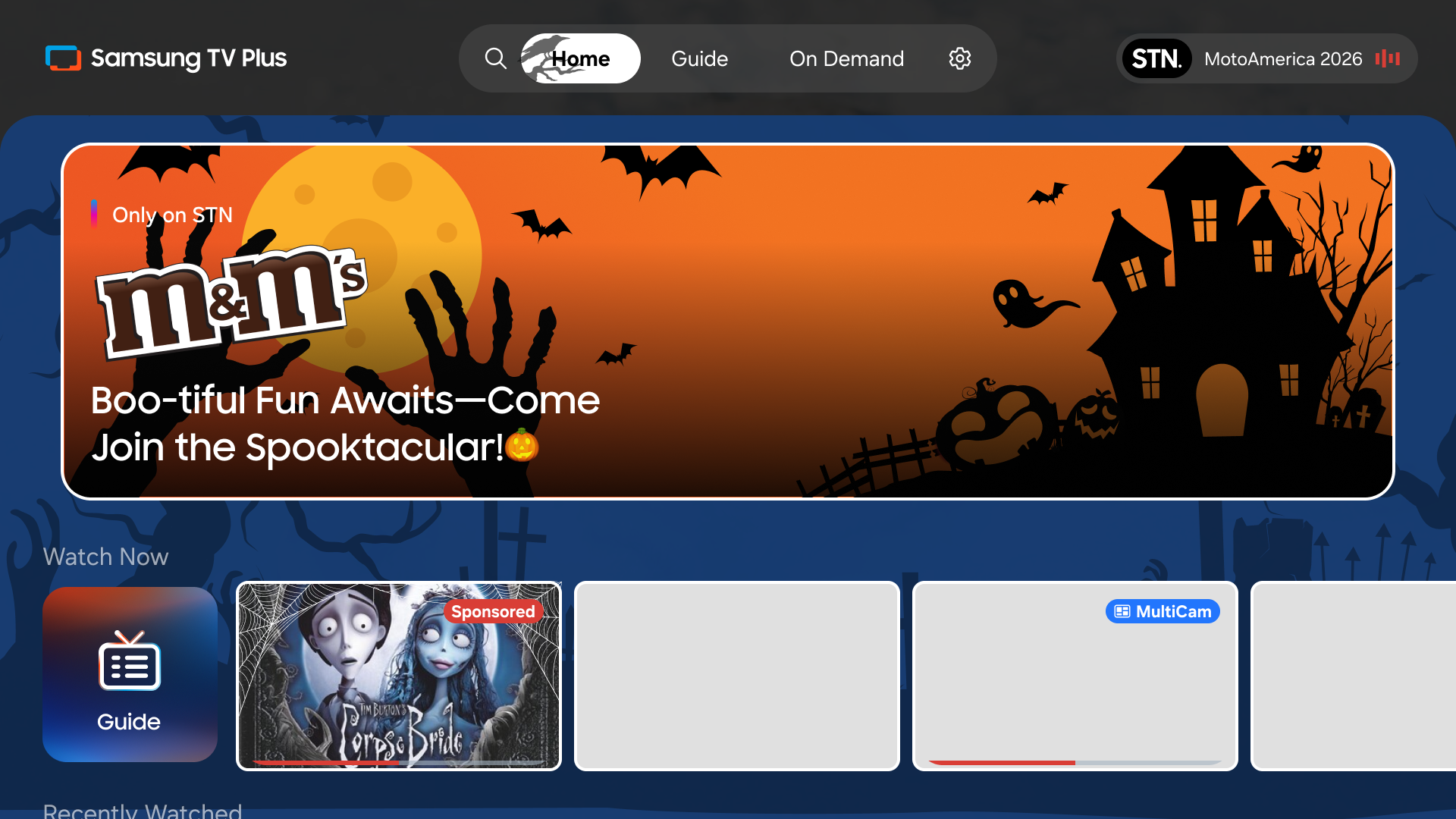
1 - Home Screen
Sponsored banner and themed skin.
-
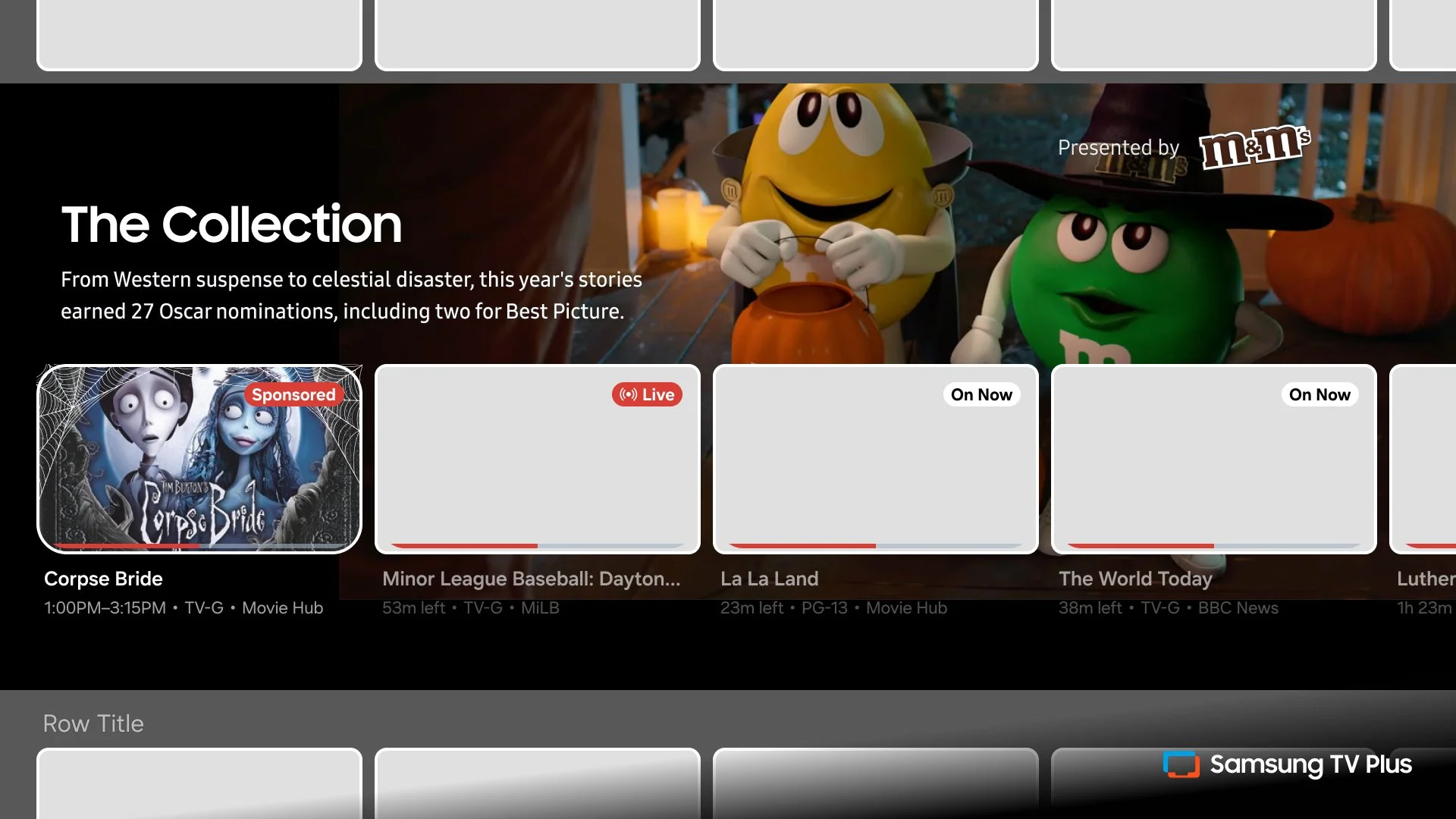
2 - Collection page
Branded collection and curated row
-
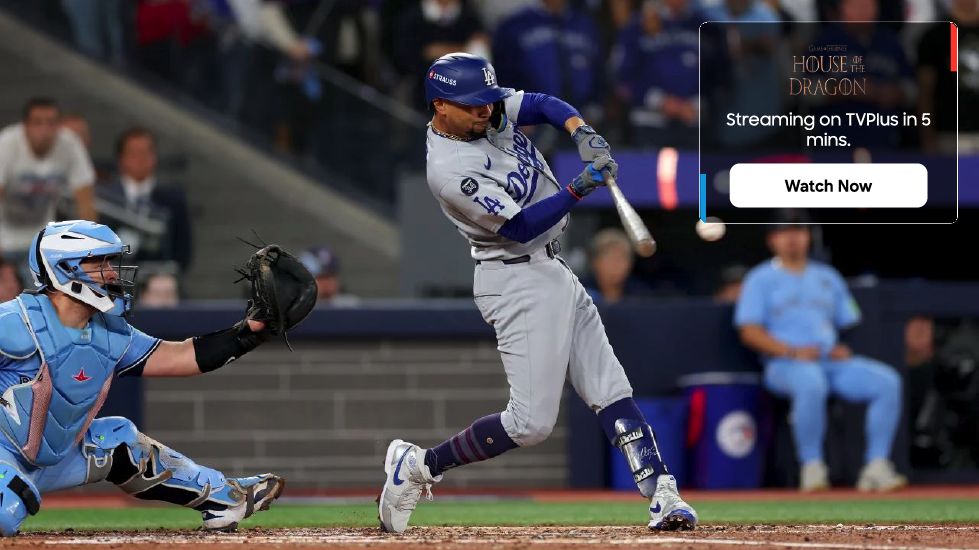
3 - Guide
Banner points to a live or upcoming show
-
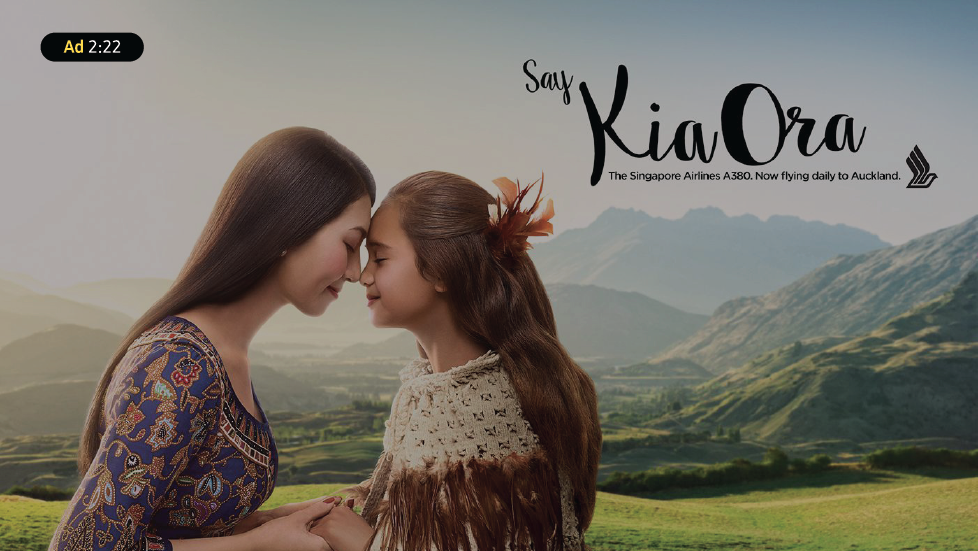
4 - Before the show
Branded pre-roll
-
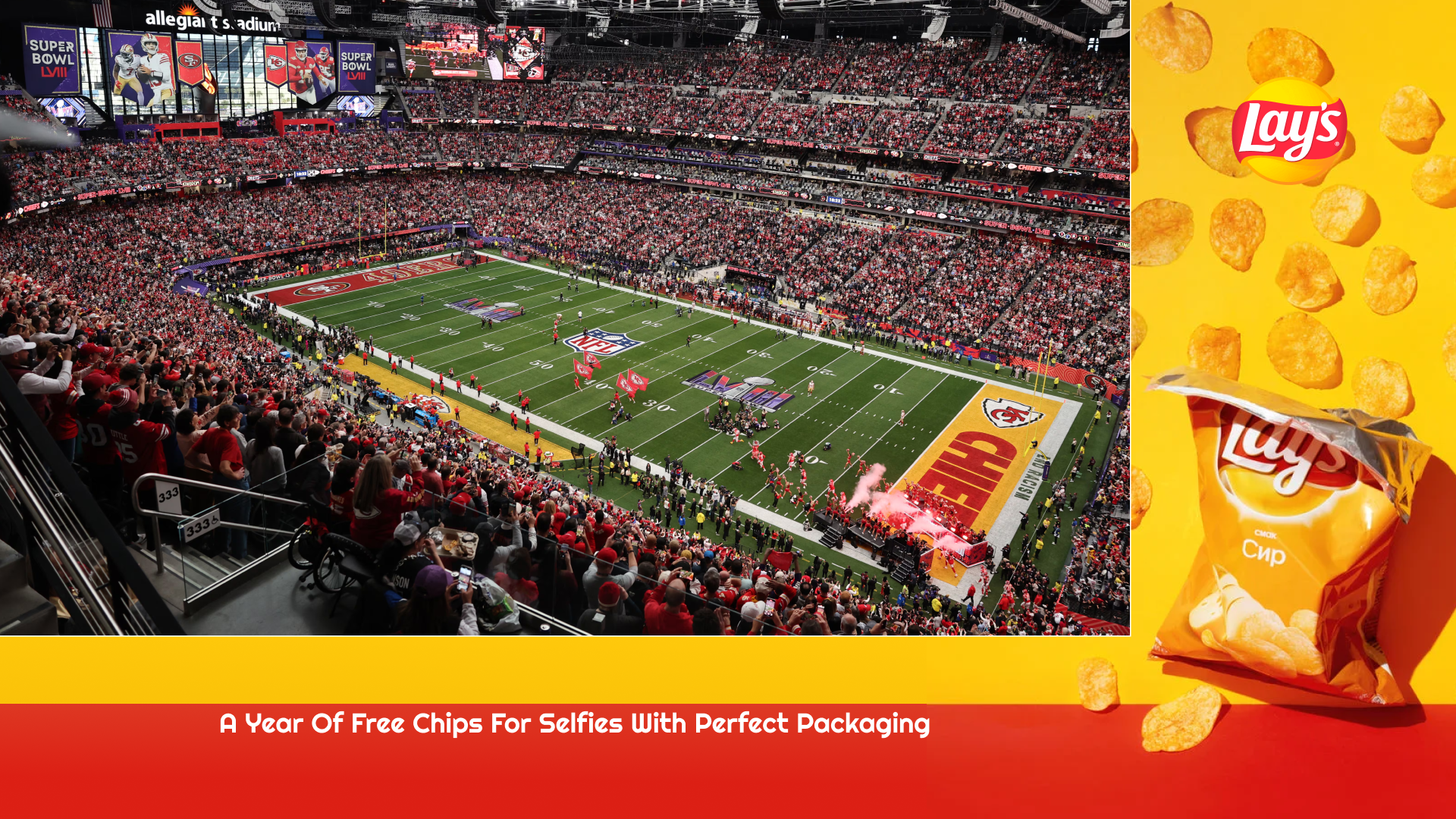
5 - During the show
Interactive ad break, or an ad beside live content
-
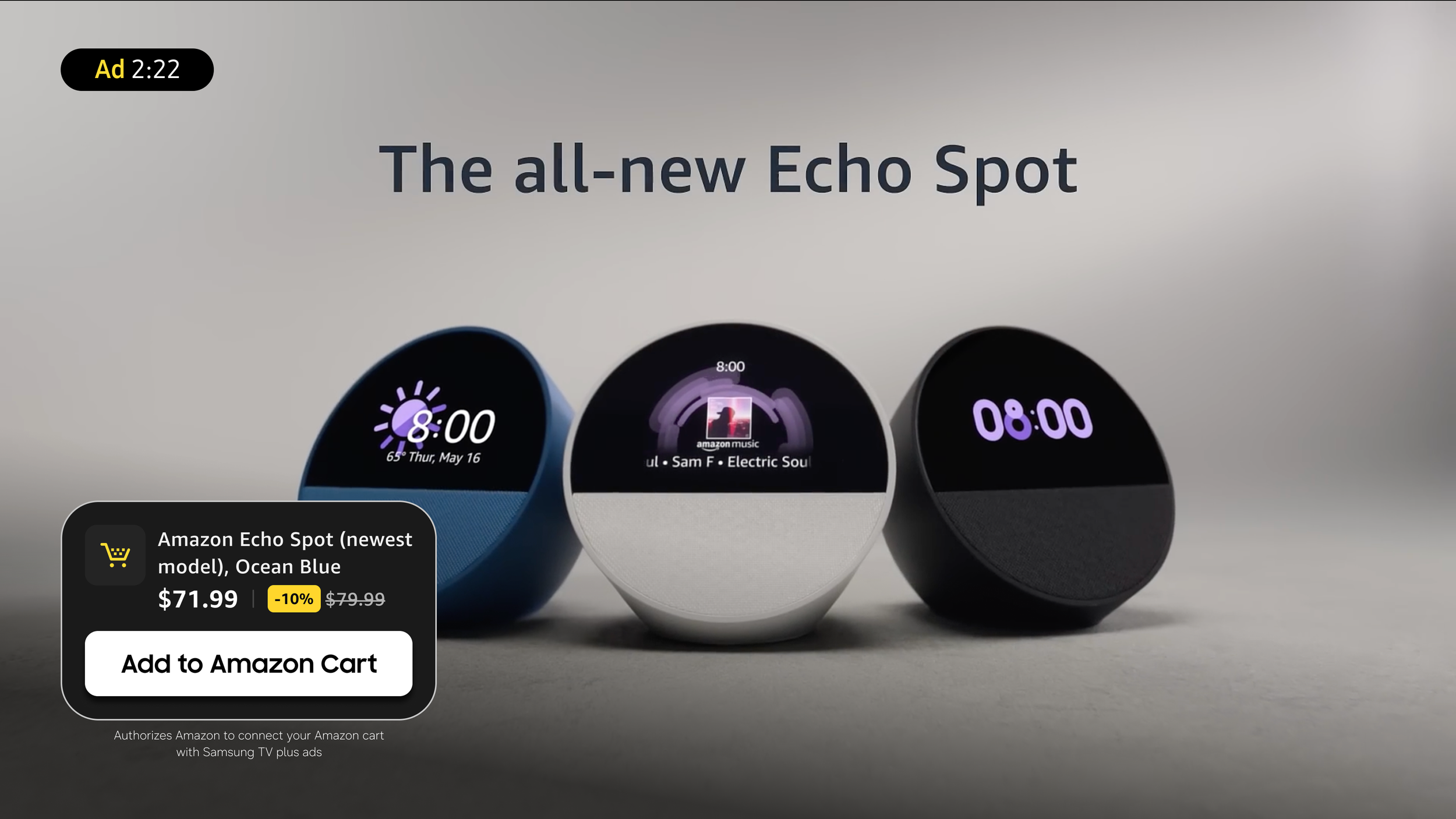
6 - Take action
Add to cart, send to phone, or pause and scan
“My role: I defined the end-to-end sponsor journey across the TVPlus home screen, collections and guide, designed the new sponsorship units, and set the theming rules that let one advertiser's brand carry across every surface.”
— 11 / 11
Validated with viewers (Aug 2026). Every participant found the seasonal takeover useful and right for the moment, and said they would use it at home. The study also showed that themed sponsorship moved viewers toward the advertiser's products, not just brand awareness. That reframed the package from a branding placement into a path to purchase, and points to the next step: pairing sponsorships with shoppable formats like Add to Cart.
Three Acts : How Creative Canvas grew
-
Act 1 : Make ads interactive
Viewers can act on an ad without leaving the show.
-
Act 2 : New ad moments that don't interrupt
Ads where viewers choose the moment, or beside the content.
-
Act 3 : From ad to action
Ads that lead to a show, a brand moment, or a purchase.
BACKGROUND
Why it mattered
-
Free TV runs on ads. Samsung TV Plus is free, so ad experiences drive revenue.
We were behind. Peacock and Roku already sold paused, overlay and squeeze-back ads; we didn't.
Third-party formats were costly. Outside vendors charged extra per impression, so few advertisers bought interactive ads. In-house formats removed that barrier.
More ads would hurt viewing. The business needed new inventory without adding commercial breaks.
-
TV ads were static and interruptive. Viewers switched channels or watched passively, with banner blindness and low QR scan rates.
How might we create new ad moments that viewers choose to engage with, so the business grows without interrupting the show?
ACT 1 • MAKE ADS INTERACTIVE
Let viewers act without leaving the show
Product Carousel
Challenge : Show several products in one TV ad without adding effort on a D-pad remote.
What I did : Designed two prototypes and tested them on a Samsung TV with 10 regular TV Plus viewers: auto-rotating vs. manual.
Decision : Auto-rotate a few times to prompt interaction, with left/right override and an ad countdown.
70% preferred auto-rotate; 100% wanted the ad countdown. Viewers said seeing products during playback kept them watching.
ROUND 2 • A/B TEST ON THE RELEASED AD • AUG 2026
Simpler ad, more scans: reducing cognitive load after launch
What we learned: In the first release, video, carousel interaction and a separate QR code competed for attention. Viewers had too much to process in a lean-back moment, so I simplified the ad and moved the action to where attention already was.
Copy
Removed all sub headers; enlarged the header and raised its character limit.
QR placement
Moved the QR code next to the carousel, where viewers were already interacting.
Ad length
Set a 30-second minimum for any interactive ad with a QR code.
Navigation & Auto-scroll off
Added arrows beside the pagination so the carousel reads as clickable.
Turned off auto-scroll so every product change is a real viewer action we can measure.
Result Viewers noticed the QR code more while still using the carousel. "Viewers noticed the QR code more while still using the carousel: 7 of 10 spotted it, up from 3 of 10 in the first release."
New rule Whatever the QR placement, viewers need at least 30 seconds to reach for their phone and scan. This is now a standard for every interactive format.
See the process
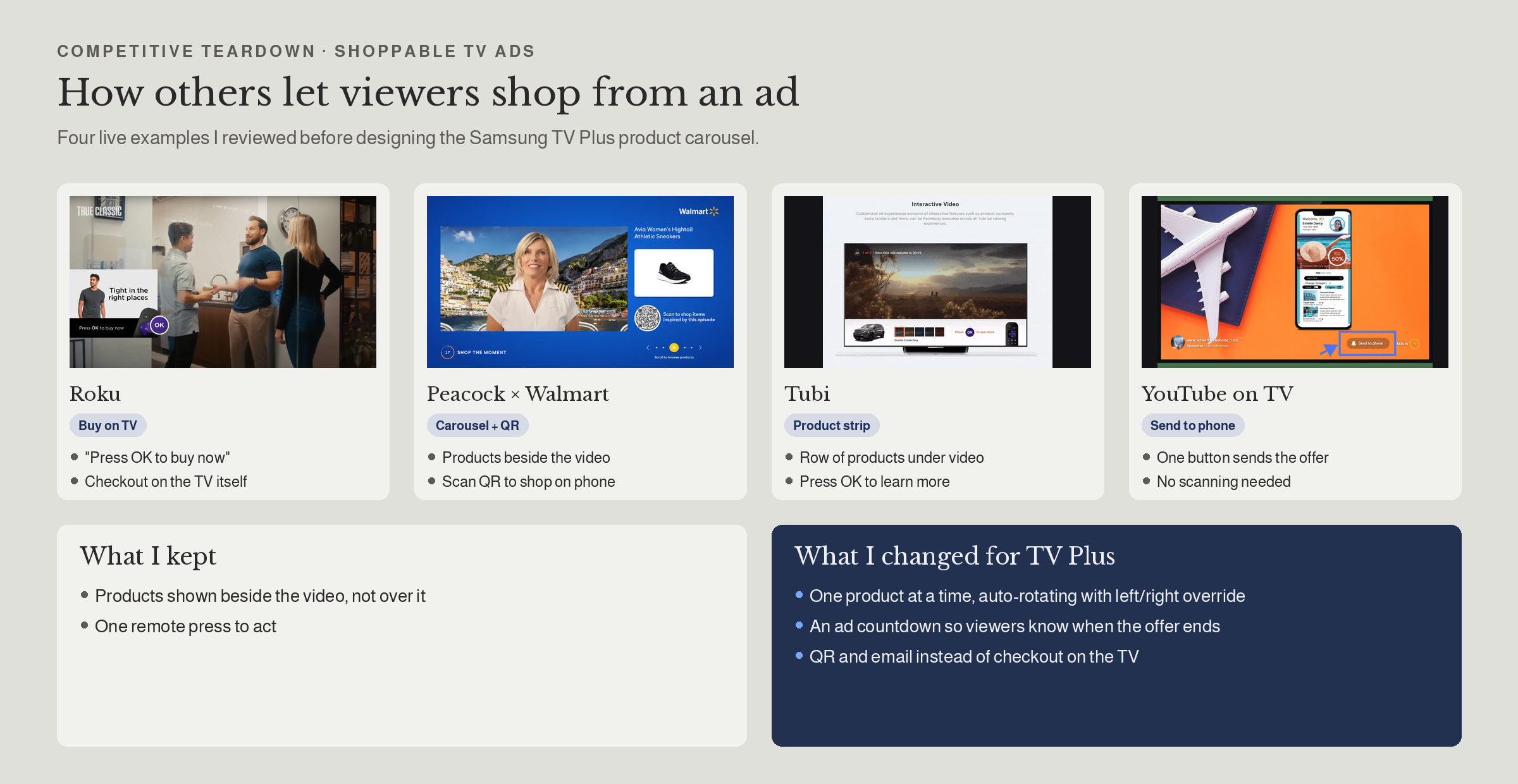
Competitive teardown
4 shoppable TV ads, what I kept and changed
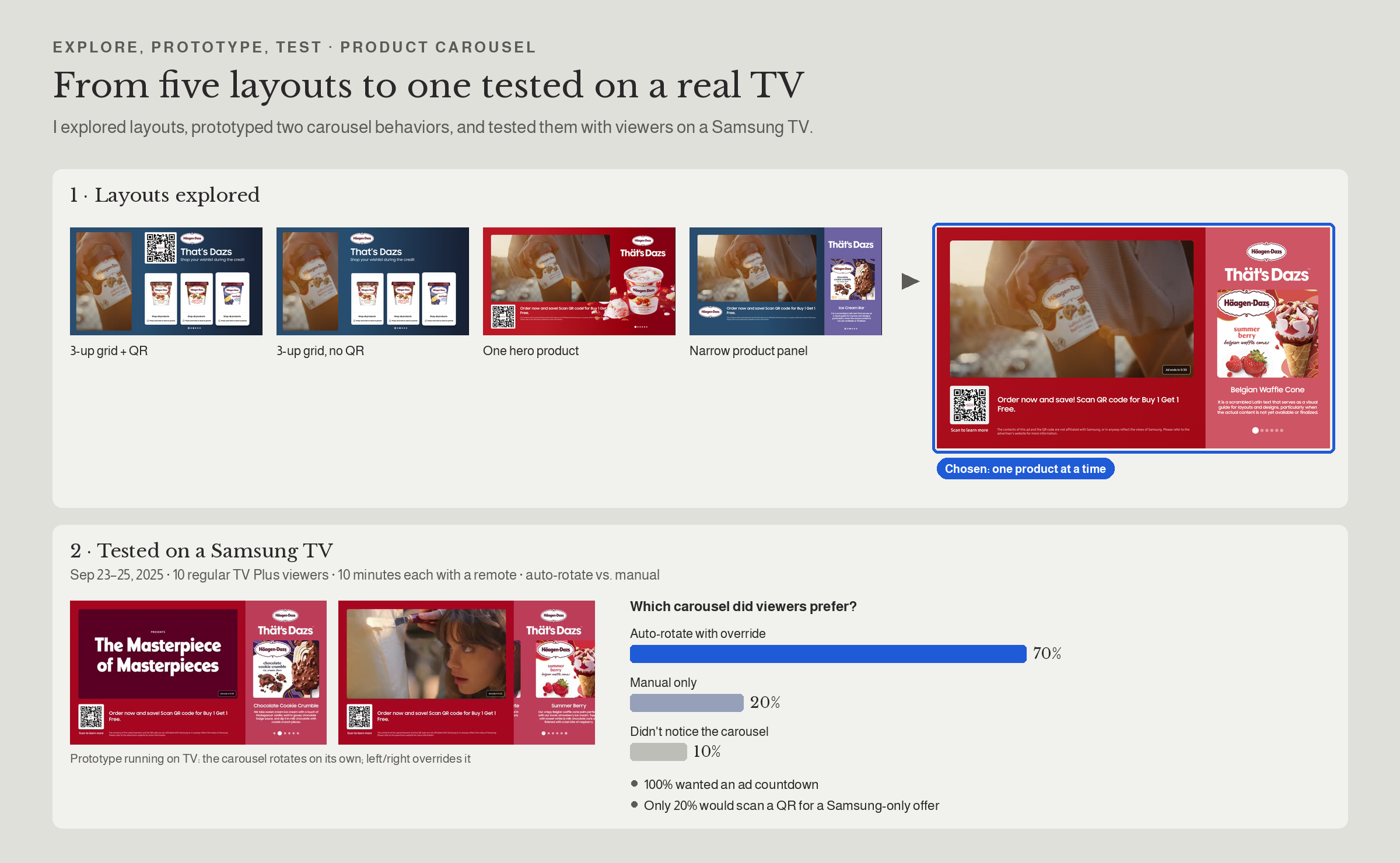
Explore and test
5 layouts, A/B on a Samsung TV
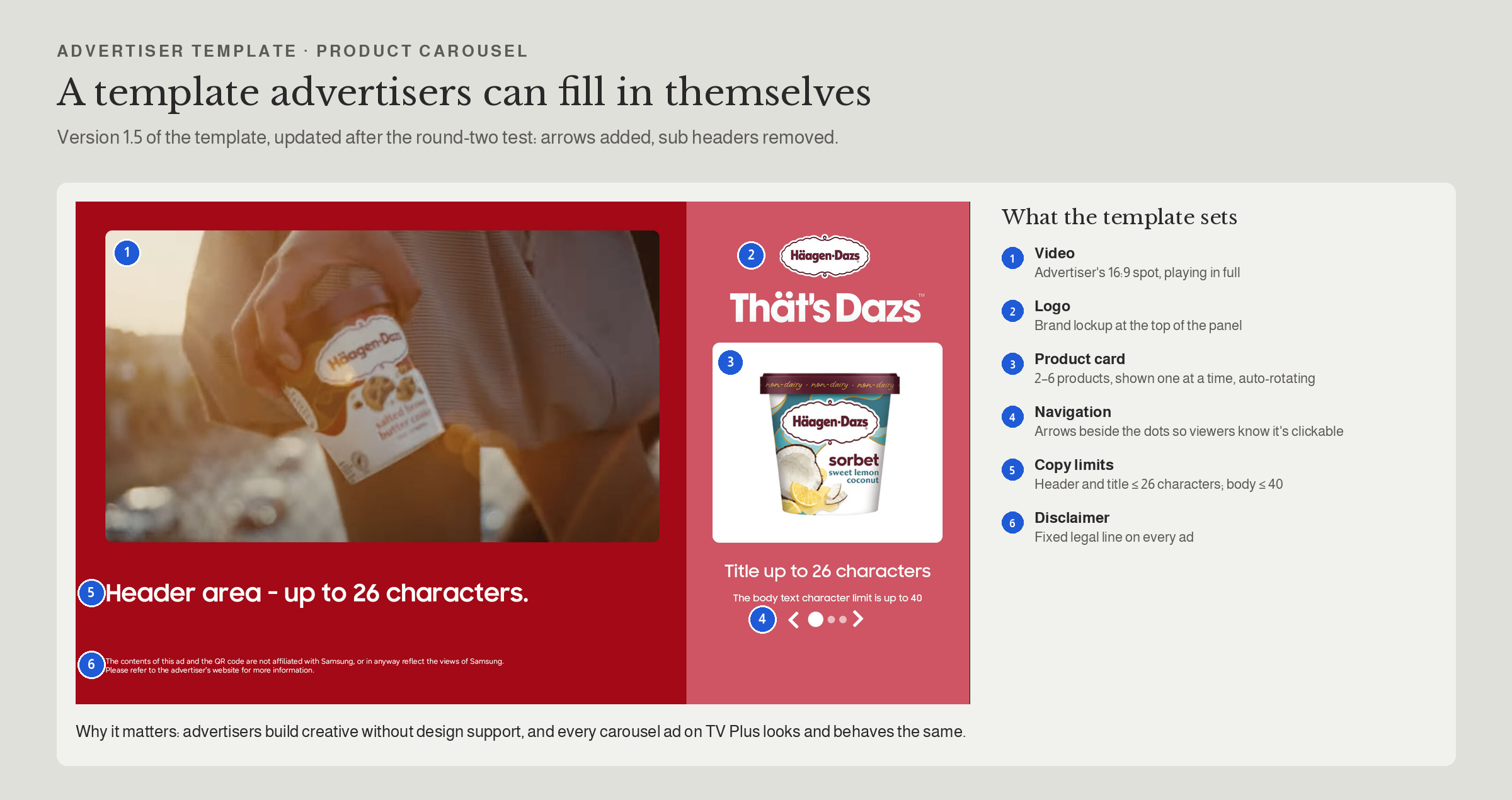
Advertiser template v1.5
Annotated zones and limits
INFLUENCE WITHOUT AUTHORITY • ENGINEERING PARTNERSHIP
Dynamic QR: the fix I pushed outside the roadmap
Product Carousel
Challenge : Our QR code took up about 35% of the ad because of a long tracking URL, and testing showed only 20% of viewers would scan a QR at all.
What I did : With a team of three, shortened the URL from 65 to 43 characters, redesigned the code for TV viewing distance, and took the case to Samsung's Revenueathon.
Decision : Dynamic QR became the default: smaller, trackable, and its destination can change without re-shipping the ad.
“35% → small Freed ad space and enabled new formats: overlays, squeezed ads, picture-in-picture. Revenueathon”.
Click to Email
Viewers send an offer to their email with one press, or scan a QR, without leaving the show.
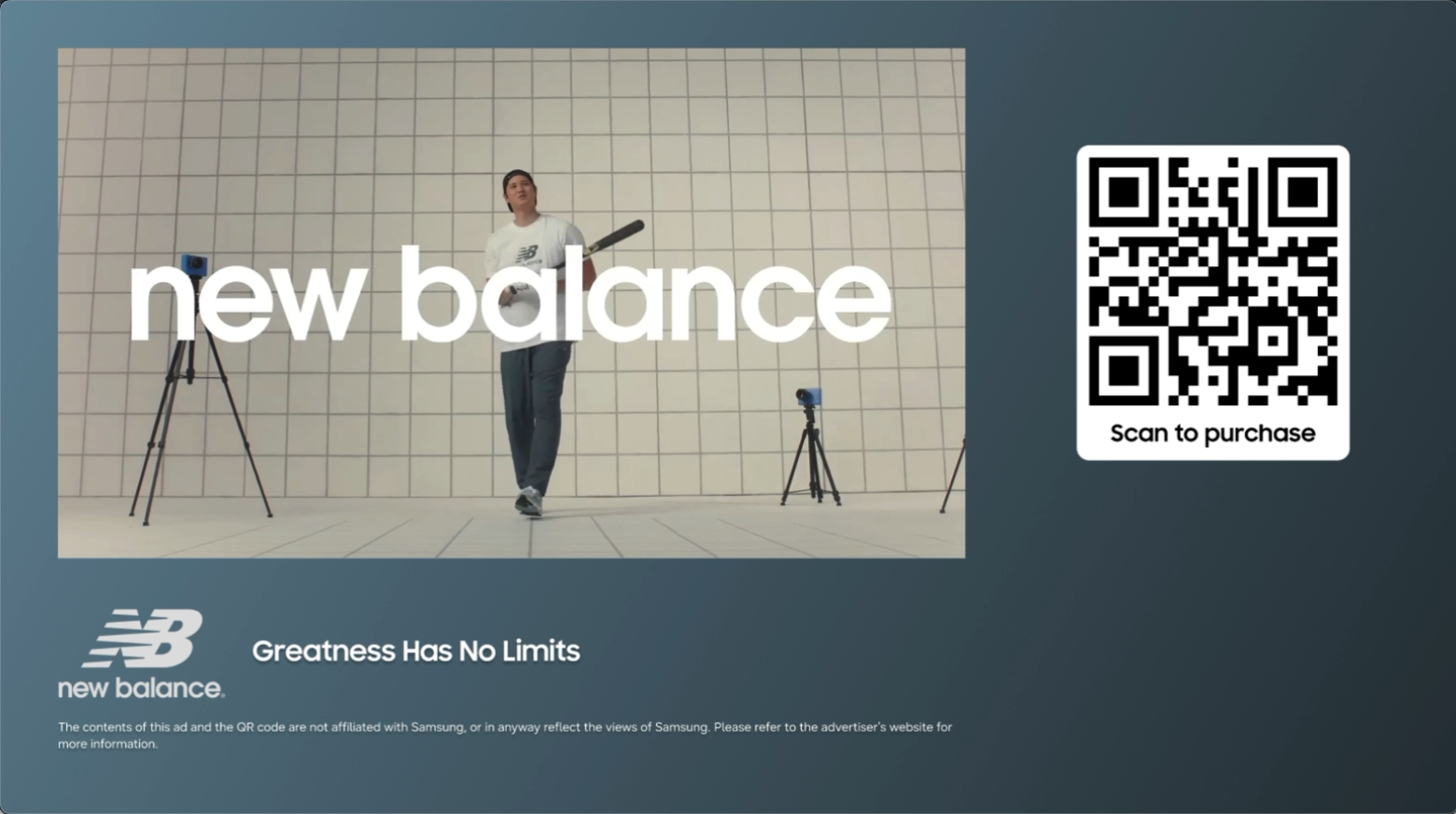
Live I co-wrote the shared spec for interactive ads: QR layouts, email button states (default, enlarged, sent) and logo rules, so every advertiser's ad behaves the same way.
Vertical ads
Mobile-first video on the big screen, with QR and email actions beside it.
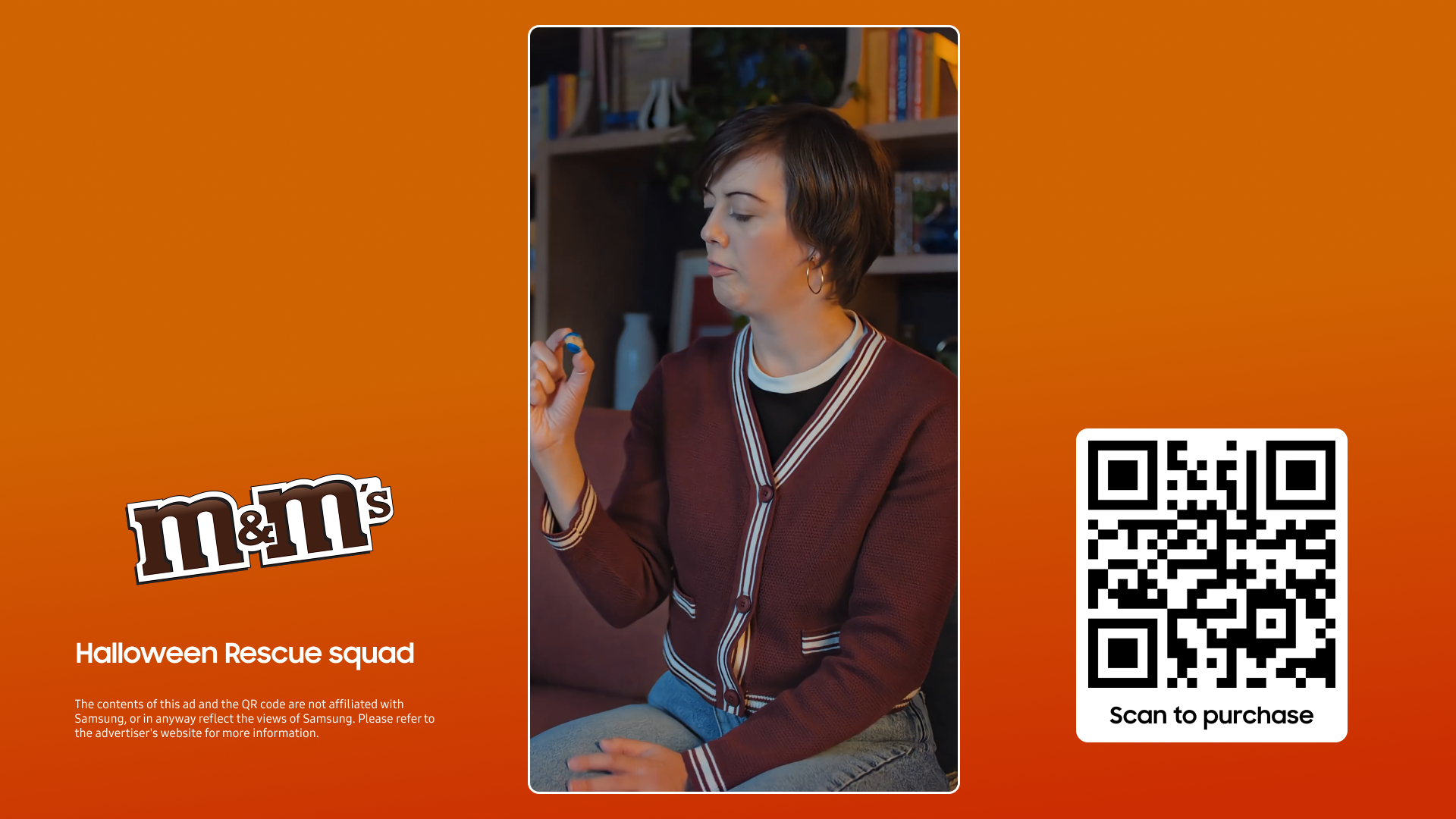
Live Built from the same shared spec: one set of QR and email components across 16:9 and vertical ads.
ACT 2 • NEW AD MOMENTS THAT DON’T INTERRUPT
Ads that live alongside the show
Non-linear formats were where Samsung TV Plus was furthest behind competitors.
Squeezed ad (L-bar)
Challenge : Live shows have few ad breaks, and the business needed new inventory without adding interruptions. How much is too much?
What I did : Ran usability tests on squeeze motion, size and placement, then an ad-tolerance study with 11 viewers: 30 minutes of a non-stop live-action show with 3 L-bars, paired with quick-service food brands like KFC and Pizza Hut.
Decision : Right & Left side, muted, at natural transitions, matched to the moment in the content, and capped at 3 L-bars per hour.
Max 3 / hr - Viewers tolerated 3 L-bars in 30 minutes because they could keep watching, and when the ad fit the moment, most wanted to order the food. The 90-minute sessions also included the Sponsored package and other ad formats, so I set a conservative cap of 3 per hour to account for total ad exposure.
Why it matters: Relevance turned an ad beside the show into an ordering moment, not just an impression. That points to contextual targeting and shoppable L-bars as the next step.
See the process
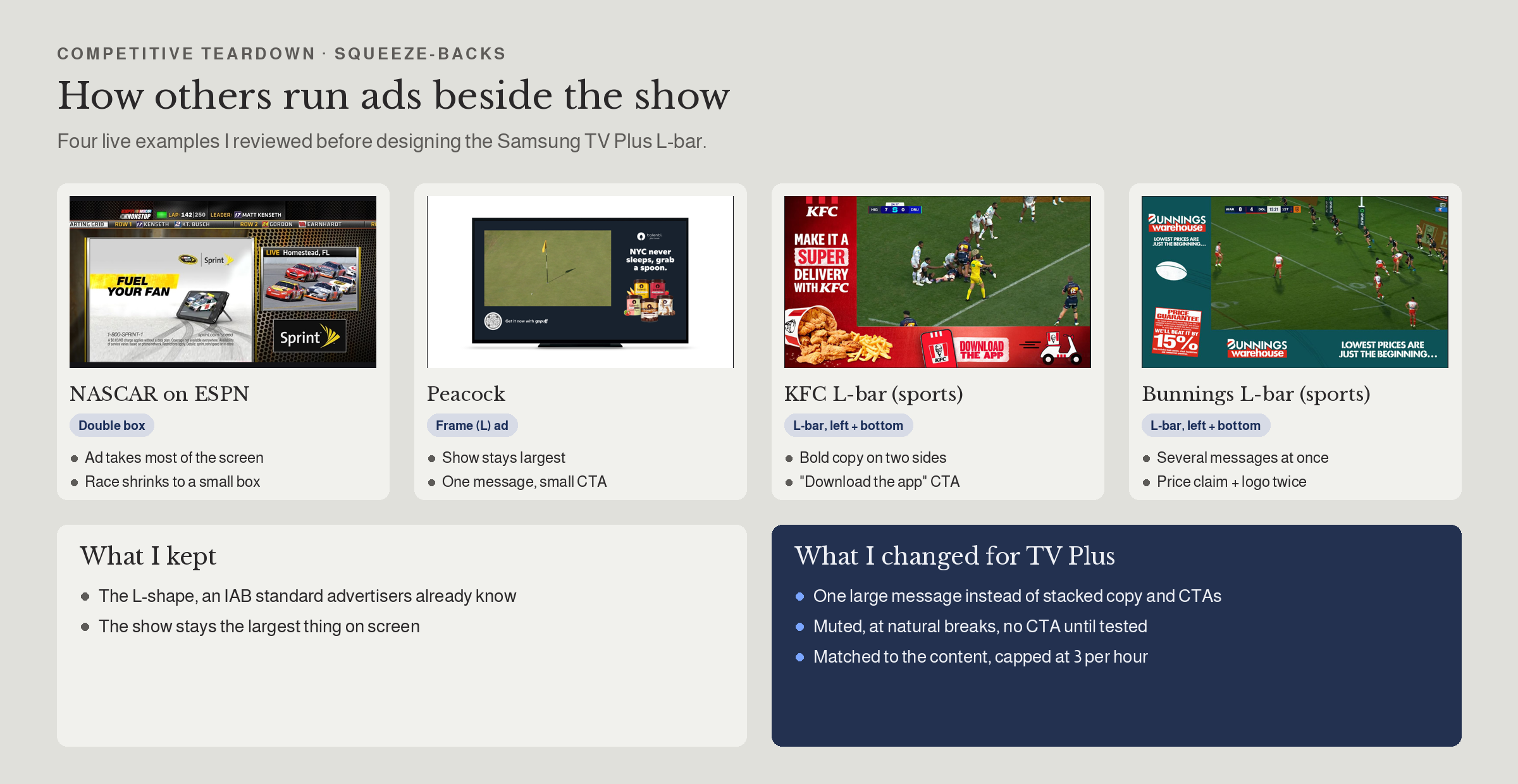
Competitive teardown
4 squeeze-backs, what I kept and changed
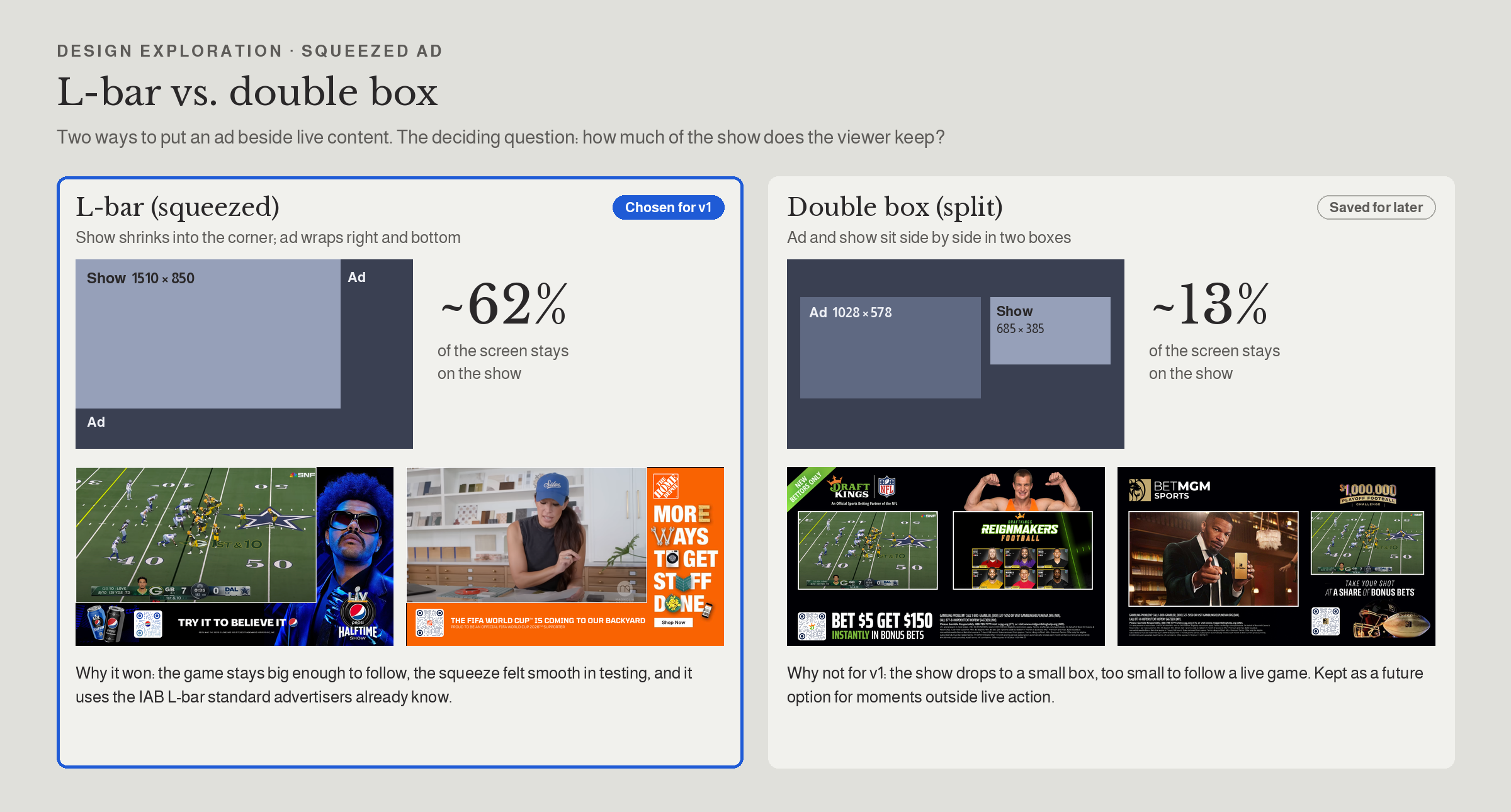
L-bar vs. double box
~60% vs. ~13% of the screen on the show
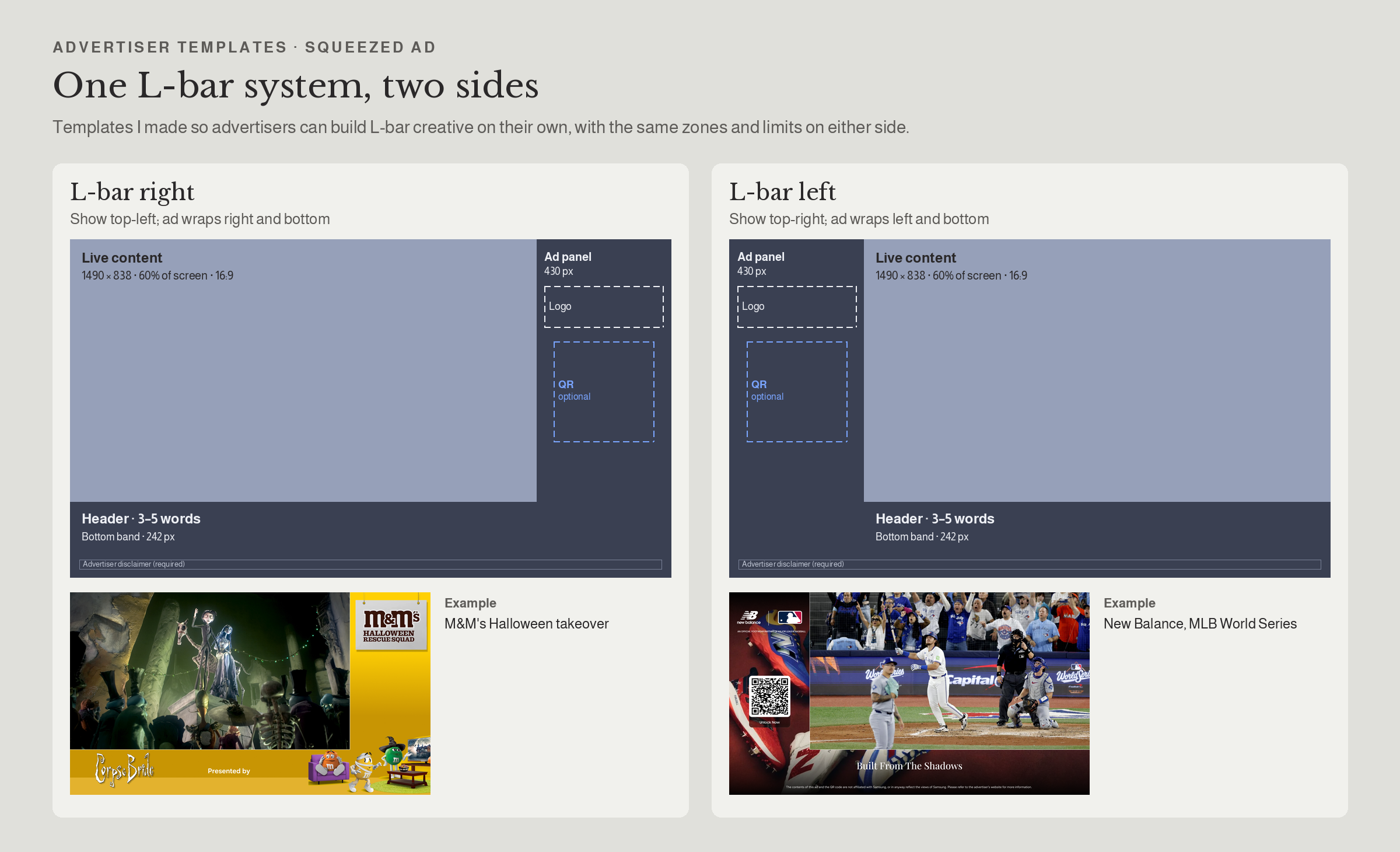
Advertiser templates
L-bar right and left, same zones and limits
Paused Ads
Pausing is voluntary, so an ad there feels contextual. I tested a basic paused ad against one with QR plus social proof across 32 viewers.
Ready to build · on hold for business priorities
90% recalled both ads and preferred QR plus social proof; 100% found paused ads acceptable
Pre-roll
One 15-second ad that starts as soon as a viewer picks a show. Kept to a single short ad so viewers don't abandon the show before it begins.
No pushback Most viewers didn't notice a difference from mid-roll ads; feedback was positive overall
Skippable ads
A mid-roll ad viewers can skip. I tested 5 variations with 11 viewers across live TV and VOD.
Skippable: tested · on hold for business priorities
90%wanted a countdown before the skip button; 70% tried the "Moment of Zen" option
ACT 3 • FROM AD TO ACTION
Ads that lead somewhere
Amazon Add to Cart
Challenge : Viewers wanted to buy through platforms they already trust, not a new QR flow.
What I did : Designed the add-to-cart and email flows with Amazon, plus versions for brands that sell on Amazon and brands that don't.
Decision : One press adds the item to the viewer's Amazon cart; brands not on Amazon get "Send to phone" or "Sign up".
May 2026 – Launched with Amazon at NewFronts May2026. It answers our earlier finding that 80% of viewers preferred to shop on platforms they already trust.
Tune-in and add to favorite
An ad deep-links to a live show with "Watch now," or lets viewers favorite an upcoming one, turning promos into viewing.
11 / 11 viewers found tune-in very useful (Aug 2026 study). They also wanted a quick way back if the new show wasn't what they expected, which set the next iteration: a one-press return to the previous channel.
RESEARCH I LED
Every format was tested on a real TV first
Product Carousel
Product Carousel, round 2
Paused Ads
Skippable Ads
Ad experiences study: Sponsored package, L-bar, Tune-in and other formats
WHEN
Sep 2025
Aug 2026
Dec 2025
Jan 2026
Aug 2026
VIEWER
10, moderated on TV
DECISION IT DROVE
Auto-rotate with override; ad countdown on all interactive ads
11, moderated on TV
32, unmoderated, moderated and in person
11, 90-minute sessions
Simplified layout; arrows beside pagination; auto-scroll off to measure real interaction; optional QR next to carousel; 30-second minimum for QR ads
5-second delay, transparent static ads, QR plus social proof
11, moderated on TV
Countdown before skip; rotating secondary CTAs
Sponsored package validated (11/11); L-bar capped at 3 per hour and matched to content; Tune-in found useful by 11/11, with a quick way back as the next step
STUDY
WHAT I LEARNED
Viewers engage when they choose the moment
Control beats interruption
Paused and skippable ads were accepted because viewers decide when they appear.
Trust drives action
Only 20% would scan an unfamiliar QR; social proof and Amazon's cart turned that around.
What I'd do next
Contextual targeting by time of day and content type, and QR trust signals across all formats.
Thank you so much!
Explore My Other Projects
-
![]()
Enhancing Engagement Through Smarter Ad Design
Led a transformation of Samsung Ads’ interactive TV ad experiences—from replicating industry norms to defining a differentiated user-centric platform.
-
![]()
Vision AI to Sport HUB: setting the rules for AI on the biggest screen in the home
Viewers pick up their phone to check a score, a product or a smart-home alert, and miss the show. I designed Vision AI for Tizen and wrote the rules for how AI appears while someone is watching. Sport HUB brings those rules to live sports: ask about the game, shop what's on screen or check on home without leaving the match.
-
![]()
Ad Experience System
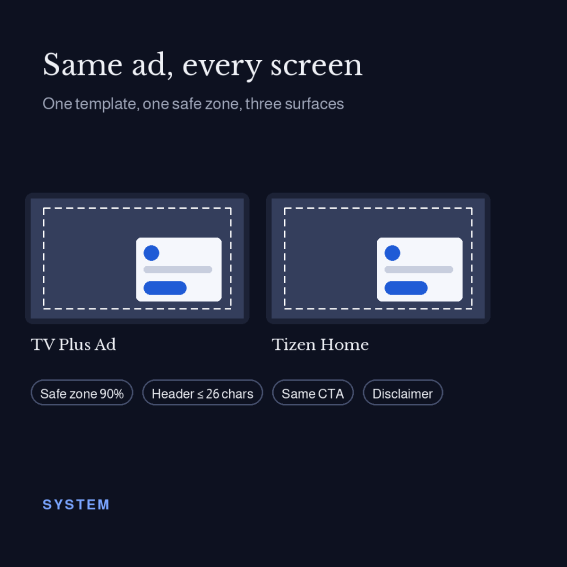
Ad Experience System: one design language for TV Plus, Tizen Home and microsites
-
![]()
CPX Campaign – Powering Scalable Performance Growth.
Led the evolution of CPX into a scalable performance platform, expanding support for new ad formats and advertisers while maintaining operational efficiency and enabling real-time optimization.
-
![]()
Stay Safe, Stay Informed with Navify
Roche Information Solutions: Delivering Integrated Digital Solutions for the COVID-19 Era.
-
![]()
Brand Engagement with Fike
Created immersive marketing content and internal resources—from 3D visuals to white papers—that elevated brand engagement, strengthened team readiness, and reinforced strategic brand consistency.